How to Integrate LinkedIn with Salesforce [4 Simple Methods]
TL;DR:
LinkedIn-Salesforce integration automates lead capture, tracks communications, and provides real-time profile insights within your CRM.
You can integrate using AppExchange (requires Advanced Sales Navigator), APIs for custom solutions, third-party tools like Zapier, or LinkedIn automation tools that include built-in Salesforce integration.
Hey there!
So, you know.. LinkedIn is the biggest network of professional people from around the world.
And Salesforce is the world's #1 CRM provider.
Can you imagine what integrating these two would do for your business?
LinkedIn's networking power (+data) and Salesforce's CRM data management can lead to 10x better conversions and customer relationships.
So, if you want to find out how this integration can elevate your business (and how to connect the two!)..
Keep reading on!
How does the LinkedIn-Salesforce integration work?
You can use the LinkedIn Salesforce integration two ways:
LinkedIn → Salesforce
Push updates from LinkedIn to Salesforce without switching platforms:
- Automatically import accounts, contacts, and lead records that your team is actively working on from Sales Navigator.
- Log LinkedIn messages, InMail, connection requests, and Sales Navigator activities directly into Salesforce records.
- Some Chrome extensions will let you transfer data from LinkedIn profiles to Salesforce quickly.
Salesforce → LinkedIn
Pull LinkedIn insights directly into Salesforce , so you can:
- View LinkedIn profiles, job titles, and company updates within Salesforce records.
- Receive lead recommendations and company news from LinkedIn while working in Salesforce.
- Automatically update Salesforce records when LinkedIn shows a contact has changed jobs or moved.
What are the benefits of LinkedIn integration with Salesforce?
You're here.. reading this article, I'll assume you have thought about this before.
Why do you want to integrate LinkedIn and Salesforce?
And is it the right choice for you?
So let's get one thing straight first — If your goal is:
✅ Better lead generation,
✅An organized view of your contacts,
✅ Real-time insights and analytics
✅ Better collaboration between teams,
✅ Save time and energy and avoid switching tabs,
It is for you.
Now, what are its benefits exactly?
1️⃣View LinkedIn profiles and updates in Salesforce
This one's the most obvious one!
You can view a contact's profile directly within Salesforce , giving you immediate access to updates like job changes, endorsements , mutual connections, etc.
This helps you make more informed decisions when reaching out without ever leaving the CRM.
If you plan on doing it yourself, it'll get really hard for you to track each and every person's life updates individually and update them manually in Salesforce..
And anyway, you cannot keep doing it forever
You will need help at some point.
2️⃣Automated lead capture from Sales Navigator
Let's say you discover a potential lead on LinkedIn.
Reps can automatically import accounts, contacts, and lead records that your team is actively working on from Sales Navigator into Salesforce.
This way, you also reduce the risk of losing important prospects and ensure your database stays updated with minimal effort through automation workflows that minimize manual data entry and ensure no leads fall through the cracks.
Otherwise who knows, you take a lunch break, come back, and forget about them altogether…
3️⃣Integration of InMail and Messaging
You can track your LinkedIn InMail and message conversations directly within Salesforce.
The integration allows reps to directly record Sales Navigator tasks, such as InMail messages and notes, into Salesforce, making it 10x easier to follow up on previous interactions and manage communication history in one place.
Else you know how follow ups are…
4️⃣Improved Sales Forecasting and Reporting
You can improve your sales forecasts by combining LinkedIn insights with Salesforce analytics.
For instance, tracking which leads are engaging with your team can give you a better sense of which deals are more likely to close, leading to more accurate pipeline projections.
So, how do you actually integrate LinkedIn to Salesforce?
LinkedIn Salesforce Integration: 4 different ways
Here are four ways you can integrate these two with or without any super-tech knowledge:
1 AppExchange
Salesforce AppExchange is a marketplace where you can find pre-built applications to extend the functionality of Salesforce.
Sales Navigator is available on AppExchange and provides a straightforward integration with Salesforce.
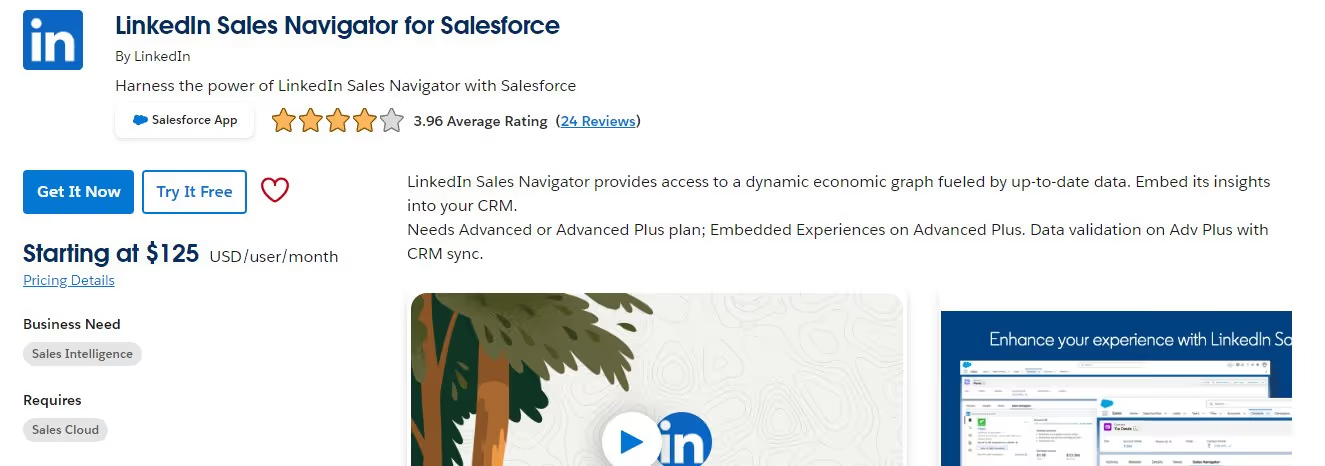
Once you install the LinkedIn Sales Navigator app from AppExchange , you can embed LinkedIn features like lead recommendations, profile insights, and messaging directly into Salesforce.
This offers a quick, low-code solution for connecting the two platforms.
Important note: The Core Sales Navigator plan doesn't allow syncing, so you need to choose between Advanced or Advanced Plus. From the Salesforce side, you need Enterprise, Performance, Unlimited, or Developer edition.
2 APIs
APIs allow developers to build custom integrations between LinkedIn and Salesforce.
LinkedIn provides APIs that let you pull data (like profiles, connections, and activities) and push it into Salesforce.
With them, developers can create a highly customized integration based on specific needs.
You can sync LinkedIn data into custom Salesforce objects, automate workflows, or even push Salesforce data back to LinkedIn.
3 Third-party applications
Third-party apps, like Zapier and Workato, serve as intermediaries to sync LinkedIn data with Salesforce.
They usually have pre-configured workflows that allow you to automate tasks between the two platforms without any coding.
You can set up a trigger that will force an action when the trigger is performed.
But do you know?
There's something better than the LinkedIn Salesforce integration..
It's not another integration.. but a better tool that can give you more leads than any CRM can.
drumrolls please
It's Outly .
4 Outly
Outly is a LinkedIn automation tool that ticks most of the LinkedIn-Salesforce integration boxes while providing additional benefits like..
360-degree LinkedIn automation.
Yes.
It can connect, personalize, follow-up, and do much more on autopilot while:
✅ Capturing leads from Sales Nav ,
✅ Managing your inbox,
✅ Providing detailed reports and analytics , and
✅ Personalizing connection requests and messages based on profile updates..
Do you wanna know how?
P.S.: It's really easy!
- Login to Outly and go to the 'Campaigns' page.
- Click 'Create a new campaign.'
- Click on 'I'm an advanced user.'
- Now you have 9 different options to import leads , including a Sales Navigator search. You just need to copy paste the link.

- The next step is to configure your settings on how you want your campaign to target profiles.

- Now comes the fun part: Creating your sequence. You can pick how you want your sequence to run.

You can also add different variants for A/B testing and see what works for you best.

And it's done!
Start your campaign and watch the magic happen.
(Here's where it gets even better)
And after all this..
If you still want a LinkedIn Salesforce integration to manage your data—
Outly can do that too..
- Just click on Settings > Integrations.

- Select — 'Integrate directly.'

- Now click 'Add integration.'

- Now select your triggers to send to Salesforce. You can pick multiple options.

- Now select the campaigns to connect with Salesforce .. You can leave it blank to select all.

Don't worry.. We're almost there.
- Next step is to connect your CRM.. which today is — Salesforce.

- Connect your Salesforce account, map the relevant fields, and you're good to go! 😉

Told ya it's easy.. 😌
All of it starting from just…
Better conversions and customer relationships?
✔️Check✔️
Why is Outly a better option?
The most obvious reason is — you don't need a sales navigator account.
It's good to have but not a must-have.
You can still get great leads and an updated CRM via Outly.
This means you can still capture high-quality leads and keep your CRM updated without the need for the extra cost of Sales Navigator.
But it's not just about Sales Navigator.
Outly automates a lot of the manual work that comes with LinkedIn outreach campaigns.
It handles tasks like connecting with leads, personalizing messages, and following up automatically.
This makes your lead generation process much more efficient and saves you valuable time.
LinkedIn Sales Navigator Core vs Advanced: What you need to know
When choosing your Sales Navigator plan for Salesforce integration, understand that the Core plan doesn't support syncing capabilities .
You'll need either the Advanced ($79.99/month) or Advanced Plus ($129.99/month) plan to enable the integration features.
The Advanced plan includes CRM sync, lead and account recommendations, and advanced search filters.
Advanced Plus adds team collaboration features and enhanced reporting capabilities that can benefit larger sales teams.
Conclusion
Yayy!
You've quickly completed a crash course on how to set up LinkedIn Salesforce integration.
You already know who will benefit from it, so now the question is which method will work best for you.
So the next step is to analyze your requirements and see:
❓ What do you seek from this integration?
❓ How much set-up time will it take?
❓What is your budget?
Once you answer these questions, you'll have your solution ready!
🎉AppExchange is a quick, out-of-the-box solution using Sales Navigator
🎉APIs can be customized to your needs.
🎉Third-party applications like Zapier can help create automated workflows.
🎉And Outly can reach out to your prospects on autopilot while managing your LinkedIn effectively AND integrating with Salesforce!
And you know what they say, what's the harm in trying?
So try Outly free for 14 days and see for yourself!
Your email is all you need to get started! 😊
Frequently Asked Questions
Does LinkedIn Sales Navigator work with all Salesforce editions?
No, LinkedIn Sales Navigator integration requires specific Salesforce editions: Enterprise, Performance, Unlimited, or Developer edition. Standard editions don't support the integration.
What are the pros and cons of LinkedIn Sales Navigator?
Pros include advanced search filters, CRM integration, lead recommendations, and InMail credits. Cons include the monthly cost, learning curve, and requirement for Advanced plan ($79.99/month minimum) to access integration features.
How many InMail credits per month do you get with Sales Navigator?
Sales Navigator Advanced includes 20 InMail credits per month, while Advanced Plus provides 50 InMail credits monthly. Unused credits don't roll over to the next month.
Thanks for reading,
Take care!
Wow your leads by cloning yourself and sending personalized videos and voice notes to each lead on LinkedIn.
If you don't reply to leads within 5 mins, your chances of converting them fall by 50%. Our AI replies on your behalf instantly! (and yes, you can train it)
Don't shoot in the dark. Get detailed analytics on what's working
Outly allows you to invite other team members, so that they can add their LinkedIn Account, run outreach campaigns and get amazing results just like you.