Note éditoriale : cette version française reprend la structure et les informations de la version anglaise, avec des références produit adaptées à Outly. La priorité SEO reste la version anglaise.
Top 10 des modèles de messages de connexion LinkedIn pour des conversions élevées !
À retenir :
Les messages de connexion LinkedIn personnalisés obtiennent un taux d’acceptation de 45 %, contre 15 % pour les demandes génériques.
Utilisez des modèles précis qui font référence à des contacts communs, à des centres d’intérêt partagés ou à des publications récentes, et évitez de faire une proposition commerciale dès la demande initiale pour construire des relations professionnelles pertinentes.
Essayez-vous de rédiger un message de connexion LinkedIn ?
Lors de la rédaction d’un message de demande de connexion LinkedIn, il est essentiel de privilégier la qualité à la quantité, car rien ne fait fuir les prospects plus vite qu’un message générique envoyé en masse.
La plupart des personnes sur LinkedIn envoient ces demandes de connexion génériques avec votre nom et le secteur dans lequel vous travaillez pour vous montrer qu’elles ont fait leurs recherches et s’attendent à ce que cela suffise pour que vous acceptiez leur demande de connexion.
Ces messages de connexion n’offrent aucune personnalisation et sont de faible qualité, ce qui fait encore baisser le taux d’acceptation global.
Avec ces modèles, votre taux d’acceptation peut atteindre 78 % selon des études récentes (plutôt sympa, non ?)
Et nous avons rassemblé tous ces modèles pour vous en un seul endroit !
Mais avant d’envoyer des demandes de connexion, vous devez d’abord prendre un peu de recul et voir à qui vous les adressez.
Comment envoyer une demande de connexion LinkedIn ? (Guide étape par étape)
Envoyer une demande de connexion est un processus assez simple :
Étape 1 : Ouvrez votre compte LinkedIn.
Étape 2 : Cliquez sur le bouton de recherche, puis ajoutez un mot-clé (nom, secteur d’activité, etc.)
Étape 3 : Appliquez un filtre, comme une offre d’emploi, un groupe, une entreprise, etc., afin d’affiner votre recherche.
Étape 4 : Cliquez sur le profil LinkedIn auquel vous souhaitez envoyer une demande.
Étape 5 : Cliquez sur « Se connecter ».
- Vous pouvez « ajouter une note » ; nous vous fournirons un modèle dans cet article LinkedIn.
Alors, à qui envoyez-vous votre demande de connexion ? Comprenons d’abord les degrés de relation sur LinkedIn.
Quels sont les différents degrés de relation ?
LinkedIn propose principalement 3 types de relations :
- Relations de 1er degré
- Relations de 2e degré
- Relations de 3e degré
Relations de 1er degré :
Les personnes auxquelles vous êtes directement relié, parce que vous avez accepté leur invitation à se connecter ou qu’elles ont accepté la vôtre, sont appelées relations de premier degré.
Vous verrez un symbole de 1er degré à côté de leur nom dans les résultats de recherche et sur leur profil. Vous pouvez leur envoyer un message directement sur LinkedIn et consulter leur profil complet.
Relations de 2e degré :
Les personnes liées à vos relations de premier degré sont appelées relations de second degré. Il s’agit des contacts communs que vous avez avec d’autres professionnels ou membres LinkedIn.
Un symbole de 2e degré apparaîtra à côté de leur nom dans les résultats de recherche et sur leur profil. En sélectionnant l’icône « Se connecter » sur leur page de profil, vous pouvez leur proposer de se connecter avec vous.
Les membres LinkedIn qui consultent votre profil peuvent voir tous les contacts communs qu’ils ont avec vous.
Relations de 3e degré :
Les personnes reliées à vos contacts de second degré. Vous pouvez les identifier dans les résultats de recherche et sur leur profil grâce au symbole de 3e degré à côté de leur nom.
Ces utilisateurs n’ont pas de lien visible avec vous et apparaissent comme « Membre LinkedIn », avec des informations de profil limitées.
Après avoir compris les différents degrés de relation, vous devriez avoir une assez bonne idée de votre audience cible, et si vous avez besoin de savoir qui cibler, ce n’est pas un problème non plus.
LinkedIn Sales Navigator peut vous aider à trouver votre audience cible et à lui adresser votre proposition.
Comment utiliser LinkedIn Sales Navigator pour cibler votre audience ?
LinkedIn Sales Navigator est un outil de gestion commerciale sur LinkedIn. Il donne aux utilisateurs, ou aux équipes commerciales d’une organisation, accès à un réseau de plus de 1 milliard d’utilisateurs.
En substance, LinkedIn a créé un réseau social qui vous permet de vous concentrer sur les clients idéaux afin de développer votre activité.
Pour les commerciaux et les marketeurs B2B, LinkedIn Sales Navigator est un excellent outil à utiliser dès aujourd’hui.
C’est essentiellement un moteur de recherche pour LinkedIn. C’est un outil puissant qui vous aide à identifier et à approcher votre audience cible grâce à des fonctionnalités avancées de recherche de leads et de comptes.
Pour effectuer une recherche avec LinkedIn Sales Navigator, vous devez suivre les étapes suivantes :
- Accédez à la barre de recherche en haut de la page LinkedIn Sales Navigator.
- Recherchez votre audience cible en ajoutant les différents filtres disponibles.
- Sélectionnez un lead parmi les résultats.
Que doit contenir un message de connexion LinkedIn ?
Lorsque vous rédigez un message de demande de connexion, il y a quelques aspects à couvrir qui, lorsqu’ils sont bien exploités, donnent un taux de réponse bien supérieur aux messages génériques que la plupart des gens utilisent.
Voici donc les aspects que votre message LinkedIn doit absolument contenir :
- Demandes de connexion personnalisées
- Message de connexion LinkedIn approprié
Demandes de connexion personnalisées :
Lors de la rédaction d’une demande de connexion, il est impératif d’être précis et personnalisé.
Alors que la plupart des utilisateurs envoient des demandes de connexion avec le prénom de l’autre personne ou le nom du secteur, croyez-nous, cela ne fonctionne pas.
Alors que dois-je faire pour personnaliser ma demande de connexion ?
Avoir quelque chose en commun fait toujours grimper le taux d’acceptation en flèche. Utilisez des éléments plus inhabituels comme du bénévolat, des compétences qu’ils possèdent ou une publication récente qu’ils ont partagée et que vous avez appréciée.
Outly propose une fonctionnalité d’hyper-personnalisation, qui permet de faire de la prospection d’une manière inhabituelle, au point que même un message automatisé paraît humain.
L’une de nos astuces consiste à utiliser les recommandations accordées à d’autres professionnels, ce qui permet d’obtenir instantanément l’acceptation de vos demandes de connexion par des prospects potentiels.
Message de connexion LinkedIn approprié :
Passer directement à votre argumentaire commercial n’est jamais la meilleure idée.
Vous devez d’abord établir un terrain commun, comme appartenir au même secteur ou avoir un point commun.
Par exemple, vous pouvez toujours aimer leurs publications et y commenter au préalable !
Même une demande de connexion automatisée doit comporter un point de contact (c’est-à-dire, comment vous les connaissez).
Et la personne à qui vous envoyez la demande doit être pertinente par rapport au contenu, par exemple en partageant un intérêt commun, un secteur similaire ou autre. Vous devez mener une recherche approfondie sur vos prospects et cibler les personnes les plus pertinentes.
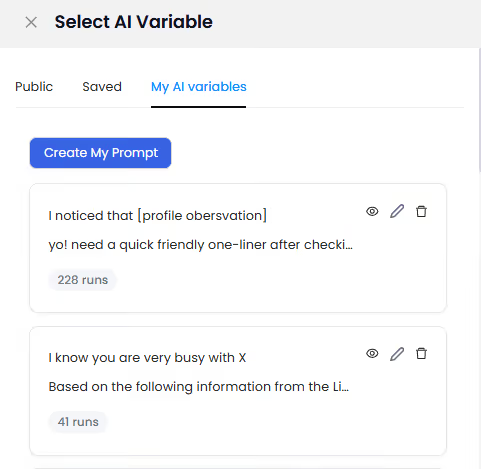
La dernière chose à vérifier est la suivante :
Qu’est-ce qu’ils y gagnent ? (pertinence)
Lorsque vous utilisez LinkedIn pour développer votre réseau professionnel et trouver des professionnels intéressés par votre profil, vous devez leur donner une bonne raison d’accepter.
Pour mieux comprendre, voici un exemple :
La personne A vient de vous envoyer une demande avec le modèle suivant :
Bonjour {Prénom}, j’ai trouvé votre profil grâce à une conférence à laquelle vous avez assisté en {Date}. Et vous cherchez des méthodes pour générer des leads sur LinkedIn.
Je travaille dans ce secteur et j’aimerais me connecter avec vous afin d’aider des propriétaires de petites entreprises comme vous à générer des leads de la meilleure façon possible.
Même si cela semble acceptable, ce n’est pas le cas, car dès que quelqu’un le lit, il comprend qu’il s’agit d’une démarche commerciale et préfère s’en éloigner.
Il faut motiver la personne de façon pertinente en lui montrant ce que vous allez lui apporter ou ce que vous pouvez lui fournir.
Cela peut inclure l’aider à développer une compétence, lui apporter des connaissances utiles, etc.
10 modèles de messages de connexion LinkedIn pour convertir :
Nous avons donc rassemblé les 10 meilleurs modèles de messages de connexion LinkedIn que vous pouvez utiliser pour entrer en contact avec n’importe qui. Cela inclut notamment :
- Les membres de groupes LinkedIn
- Les équipes commerciales
- D’autres professionnels
Alors sans plus attendre, commençons.
Le groupe commun :
Ce modèle de message LinkedIn est très simple à utiliser. Vous invitez d’autres membres d’un groupe. Si vous avez quelque chose en commun avec des personnes appartenant au même groupe LinkedIn, elles vous feront davantage confiance.
C’est une façon directe de rassembler des personnes partageant les mêmes centres d’intérêt, ce qui vous aidera à développer votre réseau professionnel.
Hey [nom],
Je travaille chez [nom de l’entreprise]. J’ai remarqué que nous faisons tous les deux partie de [groupe LinkedIn], et je suis tombé sur vos remarques pertinentes au sujet de [sujet].
Vos propos et votre point de vue m’ont intrigué.
Si vous êtes intéressé, j’aimerais poursuivre cet échange. Nous pouvons aussi échanger sur des sujets liés au business.
Merci !
[Votre nom]
L’approche directe :
Même s’il est peu probable de conclure une vente dès la première interaction, cela vaut tout de même la peine d’essayer. L’approche directe vous permet de présenter votre proposition au prospect avec de la valeur.
La manière dont vous pouvez les AIDER est la principale préoccupation de la plupart des destinataires des messages de connexion LinkedIn.
Hi [nom], je suis {Votre poste} chez {Nom de l’entreprise}
Mais je sais que cela ne vous intéresse pas vraiment. Laissez-moi donc vous parler de {Produit} et de la façon dont il pourrait parfaitement vous convenir.
Cela vous intéresse-t-il ?
Cliquez sur Accepter !
Retargeting des publications des personnes :
Si vous souhaitez trouver une liste de prospects, vous pouvez utiliser cette astuce pour récupérer des profils sur LinkedIn.
Trouvez un influenceur dans votre niche et consultez son profil afin d’identifier une publication virale. Ensuite, regardez toutes les personnes qui ont aimé et commenté cette publication. Vous avez maintenant toutes les informations nécessaires pour lancer cette campagne.
Vous pouvez tout à fait cibler un leader de niche ; vous pouvez aussi faire cela sur les publications d’autres personnes.
Utilisez ce modèle, et vous obtiendrez une campagne hautement personnalisée et ciblée.
Hi {nom}
Vous avez également aimé/commenté l’excellente publication LinkedIn de {nom de l’influenceur}. Nous avons tous les deux {le sujet} en commun.
J’aimerais beaucoup me connecter avec vous et en discuter.
Modèles de messages LinkedIn pour les chercheurs d’emploi :
Ce modèle est celui que vous pouvez utiliser pour commencer à entrer en contact avec d’autres professionnels en ligne lorsque vous recherchez des opportunités de carrière.
Vous devriez utiliser ce modèle direct et percutant lorsque vous vous adressez à quelqu’un que vous ne connaissez pas et avec qui vous n’avez aucun lien préalable. L’objectif de la première interaction n’est pas de vendre, mais de créer un climat de confiance.
Hello, [Prénom]
Comment allez-vous aujourd’hui ?
Je cherchais quelqu’un ayant une expertise dans [leur secteur] et j’ai vu votre profil via un [contact/groupe commun].
Avez-vous le temps pour un échange en visio ou par téléphone à ce sujet ?
{Votre nom}
La technologie commune :
Ce modèle de message de connexion LinkedIn est l’un des meilleurs moyens d’entrer en contact avec des personnes sur LinkedIn. Cependant, pour que cela fonctionne, vous devez faire beaucoup de recherche et rester à jour.
Les messages LinkedIn offrent un espace limité, c’est pourquoi vous devez vous assurer que vous apportez quelque chose et que vous faites en sorte que l’autre personne se sente valorisée.
La tech est l’un des moyens les plus simples d’engager quelqu’un : recherchez le prospect et voyez quelle application il utilise, puis renseignez-vous sur cette application pour trouver un terrain commun.
Hey {Leur nom}
Je suis tombé sur votre profil, et il semblerait que nous utilisions tous les deux {nom de l’application}. J’ai donc voulu vous contacter !
J’aimerais beaucoup me connecter et discuter de quelques questions liées à cela.
Technique Commenter-pour-recevoir :
Le réseautage sur LinkedIn se fait de différentes manières ; toutes visent à tirer parti de l’algorithme LinkedIn. Les gens partagent des conseils, des ressources utiles et bien plus encore pour créer un réseau solide.
« Commenter pour recevoir » est l’une de ces techniques : vous publiez une image/vidéo/du texte en partageant quelque chose de valeur pour le public. Mais vous demandez aux gens de commenter votre publication pour le recevoir.
Quel est le produit de valeur ?
Tout, d’une compilation de ressources web à un document Google contenant des questions d’entretien.
Quelque chose qui suscite un véritable intérêt suffit.
Mais pourquoi demander aux gens de commenter ? Tout cela sert à tromper l’algorithme LinkedIn afin qu’il vous aide à gagner plus de visibilité et ainsi générer des leads plus rapidement.
Vous envoyez des demandes aux personnes pour leur transmettre les ressources qu’elles ont demandées en commentant, et vous créez ainsi de nouveaux contacts en un clin d’œil.
Hey {leur nom}
Je suis tombé sur votre commentaire sur ma récente publication au sujet de {le sujet abordé}
et j’aimerais me connecter avec vous afin de pouvoir vous envoyer les ressources.
Merci !
{Votre nom}
Essai gratuit ? C’est quoi ça :
Les gens adorent les choses gratuites ; c’est particulièrement vrai sur LinkedIn. Approchez les utilisateurs de la plateforme en proposant des services gratuits pendant une durée limitée.
Cependant, veillez à ne pas exagérer ni à survendre votre offre ; laissez votre produit ou service parler et convaincre à votre place.
Hello [NOM],
Quelles sont les opportunités au sein de votre entreprise pour [SOLUTION COMMERCIALE] ?
Si c’est le cas, je serais ravi de vous aider et même de vous offrir un essai gratuit sur [LIEN DU SITE WEB].
Comme toujours, je suis preneur de vos retours.
Au plaisir de travailler avec vous
{Votre nom}
Modèle de message de recommandation LinkedIn :
Les recruteurs sont toujours présents sur LinkedIn et publient en permanence de nouvelles opportunités. Par conséquent, la première impression compte beaucoup si vous cherchez un emploi.
Nous vous conseillons donc de contacter un recruteur uniquement lorsque vous avez quelque chose en commun avec lui, car cela lui donne un sentiment de personnalisation et de proximité qui peut vous aider à vous démarquer parmi des milliers d’autres.
Et, bien sûr, Outly ne vous laisserait jamais tomber, donc si vous avez un point commun, approchez un recruteur après avoir étudié les groupes auxquels il appartient afin de créer un lien.
Bonjour, {Leur nom}
Je suis tombé sur votre profil sur la page {nom du groupe} et souhaitais vous contacter pour explorer la possibilité de travailler ensemble.
J’ai {années d’expérience} en tant que {poste recherché}, et je suis actuellement à la recherche de nouvelles opportunités.
J’aimerais discuter avec vous de la possibilité que mon expérience corresponde à l’une de vos opportunités, et je serais ravi de vous mettre en relation avec d’autres experts de mon domaine.
Dans l’attente de votre réponse,
Génération de leads entrante :
Il s’agit d’un modèle simple et facile à utiliser qui fonctionne à chaque fois et dans toutes les situations
Les étapes sont simples :
- Allez sur votre profil
- Cliquez sur l’option « Qui a consulté mon profil »
- Envoyez des messages personnalisés pour établir de nouvelles relations professionnelles.
Hey, {Leur nom}
J’ai vu que vous avez consulté mon profil ; merci !
Y a-t-il quelque chose pour lequel je peux vous aider ?
C’est toujours un plaisir de voir un professionnel travaillant dans {leur secteur ou expérience de bénévolat} ; je m’intéresse moi aussi beaucoup à ce sujet.
J’aimerais beaucoup me connecter avec vous
Le message de relance :
Il est toujours essentiel d’envoyer un message de relance afin de ne pas être oublié dans tout le flot de messages que reçoivent les personnes sur LinkedIn.
"Bonjour [nom de la personne].
Je sais à quel point votre emploi du temps est chargé.
Cependant, j’aimerais beaucoup échanger avec vous et discuter de [insérer le sujet].
Je vous ai précédemment dit [insérez une affirmation qui pique leur intérêt].
Merci de me répondre dès que vous le pouvez !
{Votre nom}"
Comment automatiser les demandes de connexion LinkedIn ?
Les outils d’automatisation LinkedIn comme Outly comptent parmi les meilleurs outils d’automatisation LinkedIn que vous pouvez utiliser pour accélérer le processus de connexion sur LinkedIn.
Les outils d’automatisation accélèrent de nombreux processus pour les équipes commerciales, notamment :
- Parcourir rapidement de nombreux profils à la fois, puis en masse leur envoyer des demandes de connexion et des messages de boîte de réception à l’aide de l’outil d’automatisation
Assurez-vous que chaque lead fasse l’objet d’un suivi après la phase de « consultation du profil » et de messagerie.
Outly envoie automatiquement des messages aux prospects en guise de relance, vous n’avez donc pas à le faire ! Pratique, non ?
- En quelques clics seulement, vous pouvez rapidement et facilement créer et envoyer des messages personnalisés et des demandes de connexion grâce aux excellents outils de personnalisation d’Outly.
La dernière version de l’IA d’Outly peut rapidement identifier les caractéristiques essentielles d’un profil, telles que l’expérience professionnelle pertinente, les activités de bénévolat et les qualifications nécessaires.
Utilisez des visuels et des GIF pour rendre vos e-mails et autres types de communication plus attrayants.
- Vous pouvez suivre toutes vos conversations dans un espace dédié grâce à la Smart Inbox d’Outly.
Vos leads peuvent être modifiés et filtrés en un seul endroit. De plus, ces problèmes peuvent souvent être corrigés en un simple clic.
Vos e-mails seront gérés rapidement et efficacement si vous utilisez cette option.
LinkedIn limite les demandes de connexion à 100-200 par semaine en 2026, donc les outils d’automatisation vous aident à rester dans ces limites tout en maximisant l’efficacité de votre réseautage.
Sans parler du fait que notre IA répond même aux prospects en votre nom !
Options gratuites d’outil d’automatisation des connexions LinkedIn
Même si la plupart des outils professionnels d’automatisation LinkedIn nécessitent un abonnement, certaines fonctionnalités d’automatisation de base sont disponibles via des extensions de navigateur et des essais gratuits. Toutefois, soyez prudent avec les outils gratuits, car ils peuvent ne pas disposer des fonctionnalités de sécurité nécessaires pour protéger votre compte LinkedIn contre des restrictions.
Conclusion
J’espère que mon explication des messages de connexion sur LinkedIn, ainsi que les exemples, vous ont été utiles.
N’oubliez pas que les messages personnalisés obtiennent des taux d’acceptation bien plus élevés, des études montrant une augmentation de 30 % des taux de réponse lorsque vous envoyez un message unique et personnalisé au lieu de demandes génériques.
Et si vous cherchez à automatiser le processus de demande de connexion LinkedIn et bien plus encore, n’hésitez pas à nous contacter !
Et nous vous ferons faire un tour de démonstration.
Foire aux questions
Si je supprime une connexion sur LinkedIn, en est-elle notifiée ?
Non, LinkedIn n’envoie pas de notification lorsque vous supprimez quelqu’un de vos connexions. La personne ne vous verra simplement plus dans sa liste de connexions, et vous n’apparaîtrez plus comme connectés sur vos profils respectifs.
Que signifie « LinkedIn unable to connect » ?
Ce message apparaît généralement lorsque vous avez atteint votre limite hebdomadaire de demandes de connexion (100 à 200 demandes par semaine), lorsqu’une personne a restreint qui peut lui envoyer des demandes de connexion, ou lorsqu’il y a un problème technique temporaire avec les serveurs de LinkedIn.
Comment automatiser gratuitement les demandes de connexion LinkedIn ?
Bien que certaines extensions de navigateur proposent une automatisation de base gratuite, la plupart des outils d’automatisation LinkedIn fiables nécessitent un abonnement. Les options gratuites manquent souvent de fonctionnalités de sécurité et peuvent exposer votre compte à des restrictions. Il vaut mieux investir dans un outil réputé doté de bonnes mesures de sécurité.
Émerveillez vos leads en vous clonant et en envoyant des vidéos et des notes vocales personnalisées à chaque lead sur LinkedIn.
Si vous ne répondez pas aux leads dans les 5 minutes, vos chances de les convertir chutent de 50 %. Notre IA répond instantanément à votre place ! (et oui, vous pouvez l’entraîner)
Ne tirez pas à l’aveugle. Obtenez des analyses détaillées sur ce qui fonctionne.
Outly vous permet d’inviter d’autres membres de votre équipe, afin qu’ils puissent ajouter leur compte LinkedIn, lancer des campagnes de prospection et obtenir d’excellents résultats, tout comme vous.