Note éditoriale : cette version française reprend la structure et les informations de la version anglaise, avec les références produit adaptées à Outly. La priorité SEO reste la version anglaise.
Top 10 des modèles de prospection commerciale en 2026 - Le guide ultime des messages LinkedIn
À retenir :
Les messages LinkedIn affichent des taux de réponse de 10 à 25 % (contre 1 à 5 % pour les e-mails froids) lorsqu’ils sont bien utilisés. Utilisez des lignes d’objet personnalisées, mentionnez des éléments précis de leur profil et mettez l’accent sur la valeur apportée.
Les 10 modèles proposés couvrent différents scénarios, des mises en relation par recommandation aux contacts liés à des événements, pour vous aider à sortir du lot et à générer des prospects qualifiés.
Ce blog est pour vous….
Si vous êtes inspiré(e) en entendant les histoires de réussite des autres sur la manière dont ils trouvent des clients sur LinkedIn, et que vous voulez en faire partie.
Je sais quelles sont vos prochaines étapes :
• Vous trouvez le prospect idéal.
• Vous rédigez ce message LinkedIn parfait.
Mais seulement pour le voir disparaître dans le vide ?
Comme s’il n’y avait personne pour répondre à votre message.
Eh bien, mon ami, obtenir des réponses est facile… mais il y a un piège.
Pour obtenir des réponses et générer des ventes sur LinkedIn, vous devez doper votre stratégie de messagerie LinkedIn.
Avant de partager le "comment", sachez qu’aujourd’hui, même si vous essayez d’envoyer un message LinkedIn non commercial, avec beaucoup d’espoir d’obtenir une réponse, vous finirez probablement ignoré. Pourquoi ?
Parce que vous vous reposez trop sur des messages génériques et que vos prospects en reçoivent des tonnes.
Alors, comment vous démarquer ?
J’ai l’info.
Dans ce guide, j’explique tout…
🤖 En quoi consistent les messages LinkedIn ?
🤖 7 fonctionnalités de messagerie LinkedIn que vous ne connaissez probablement pas.
🤖 Vous avez des questions ? Je réponds aussi à quelques FAQ .
🤖 J’ai 3 conseils simples pour vos messages LinkedIn .
🤖 Et en bonus, les 10 meilleurs modèles de messages qui fonctionnent vraiment .
🤖Oh, et si l’automatisation vous intéresse, je vais vous montrer comment automatiser les messages LinkedIn .
Vous êtes pressé ? Allez directement aux modèles !
Prêt à réussir sur LinkedIn ? Prenez un café et laissez-moi faire le reste ;)
C’est parti.
Qu’est-ce que la messagerie LinkedIn ?
La messagerie LinkedIn fonctionne comme un e-mail, mais tout se passe directement sur LinkedIn. Vous pouvez envoyer des messages à n’importe quel utilisateur LinkedIn, même s’il ne fait pas partie de vos relations ( Spoiler : son profil doit être ouvert. )
C’est un excellent moyen de nouer de nouvelles relations professionnelles.
Ex. : vous pouvez entrer en contact avec des personnes que vous admirez ou avec lesquelles vous souhaitez travailler, simplement en leur envoyant un message rapide.
Remarque :
Petit avertissement cependant : même si c’est un excellent outil, certaines personnes l’exploitent à outrance pour envoyer des messages de spam. Lorsque vous envoyez des messages, veillez donc à ce qu’ils soient réfléchis et réellement utiles.
Voyons maintenant…
Conseils de rédaction de messages LinkedIn qui fonctionnent vraiment
Les messages LinkedIn doivent être soigneusement structurés.
Suivez ces quelques conseils pour rédiger de meilleurs messages sur LinkedIn.
Conseil n°1 : comment rédiger un objet efficace ?
Obligatoire uniquement lorsque vous envoyez un InMail LinkedIn.
L’objet est la partie la plus importante de votre message, car c’est la première chose que la personne verra.
Et comme nous le savons tous, « la première impression est la dernière impression », et cette première impression doit marquer les esprits !
Veillez donc à ce que votre objet soit clair et concis.
Il doit être capable de faire passer le message de votre e-mail en quelques mots.
Il doit attirer l’attention afin que la personne que vous contactez ait envie d’ouvrir votre message.
Pour rendre votre objet plus accrocheur, vous pouvez utiliser des mots puissants comme « Pas à pas », « Nouveau », « Découvrez », « Invitation », etc.
Conseil n°2 : comment rédiger les meilleurs messages de mise en relation sur LinkedIn ?
Lorsque vous rédigez un message de mise en relation sur LinkedIn, veillez à personnaliser votre message.
Un message personnalisé permet à la personne de se sentir spéciale et reconnue.
Cela donne également à votre message un aspect plus authentique et digne de confiance.
Comment personnaliser votre message :
- Vous pouvez commencer par utiliser le prénom de la personne dès l’ouverture de votre message.
- Vous pouvez aussi mentionner quelque chose que vous avez en commun avec elle.
- Vous pouvez faire référence à son travail ou à son profil.
Mais veillez à ne pas copier-coller le même message à tout le monde. Cela donne à votre message un air faux et peu sincère.
Évitez aussi les formules génériques comme « C’était un plaisir de vous rencontrer » ou « Je suis un grand fan de votre travail ». Ces phrases sont trop utilisées et rendent votre message ennuyeux.
À la place, utilisez des formulations spécifiques à la personne que vous contactez.
Par exemple, vous pouvez dire : « J’ai beaucoup aimé votre dernier article de blog » ou « Votre travail est vraiment inspirant ».
Ces formulations sont non seulement plus précises, mais elles montrent aussi que vous vous intéressez réellement au travail de la personne.
Conseil n°3 : comment rédiger des messages LinkedIn qui obtiennent une réponse ?
Lorsque vous rédigez un message LinkedIn, assurez-vous que votre message porte sur quelque chose qui apporte de la valeur à la personne que vous contactez.
Par exemple, si vous contactez un prospect potentiel, votre message doit expliquer en quoi votre produit ou service peut lui être utile.
OU si vous contactez un employeur potentiel, votre message doit montrer comment vous pouvez contribuer à son entreprise.
Les gens sont plus susceptibles de répondre à des messages qui apportent quelque chose d’utile. Veillez donc à ce que votre message ne parle pas seulement de vous, mais aussi de la manière dont vous pouvez aider l’autre personne.
Top 10 des modèles de messages commerciaux LinkedIn qui fonctionnent
Même si les conseils ci-dessus suffisent pour commencer, je comprends qu’il peut être difficile de percer le bruit ambiant pour capter l’attention de votre prospect.
Pour vous aider à démarrer, notre équipe commerciale a créé une liste de modèles parfaits pour attirer l’attention de vos prospects.
N’hésitez pas à les copier et à les tester.
Modèle n°1
Ligne d’objet : Question rapide sur {Produit/Service}
Salut {Nom},
J’espère que vous allez bien ! Je suis récemment tombé sur votre profil et j’ai vu que vous utilisez {produit/service}. J’envisageais de passer à {produit/service} pour mon entreprise et je me demandais si vous pouviez me parler un peu de votre expérience à ce sujet.
Je vous serais vraiment reconnaissant(e) de partager votre retour.
Merci,
{Votre nom}
Modèle n°2
Ligne d’objet : Présentation de {Produit/Service}
J’espère que vous allez bien ! Nous sommes ravis de vous présenter notre nouveau {produit/service}.
{Produit/Service} est un {description du produit/service}. Il a été conçu pour aider les entreprises à {bénéfice du produit/service}.
Nous serions ravis d’avoir votre avis sur {produit/service}. Si cela vous intéresse, nous pouvons vous envoyer un essai gratuit.
Modèle n°3
Ligne d’objet : {Produit/Service} pour {secteur}
Salut {Nom} !
Il semble que vous travailliez dans le secteur {secteur}. Est-ce que je me trompe en supposant que {produit/service} pourrait vous être utile ?
Si c’est le cas, bonne nouvelle ! Notre équipe est spécialisée dans les services {produit/service} pour les entreprises du secteur {secteur}.
Seriez-vous intéressé(e) pour en savoir plus ?
Modèle n°4
Ligne d’objet : {Bénéfice du produit/service}
En parcourant votre profil, j’ai vu que vous travaillez comme {intitulé du poste}. Je sais que {bénéfice du produit/service} peut être vraiment utile aux personnes dans votre domaine d’activité.
Notre équipe est spécialisée dans la fourniture de services {produit/service} aux entreprises. Nous serions ravis d’avoir votre avis sur notre service. Si cela vous intéresse, nous pouvons vous envoyer un essai gratuit.
Modèle n°5
Ligne d’objet : {Recommandation} m’a conseillé de vous contacter
J’espère que vous allez bien ! Je parlais récemment à {recommandation}, et cette personne m’a recommandé de prendre contact avec vous.
{Recommandation} m’a dit que vous étiez {intitulé du poste} et que vous pourriez être intéressé(e) par nos services {produit/service}.
Notre équipe propose des services avancés {produit/service} aux entreprises. Nous serions ravis d’avoir votre avis sur notre service. Si cela vous intéresse, nous pouvons vous envoyer un essai gratuit.
Modèle n°6
Ligne d’objet : Bonne nouvelle ! Nous proposons désormais {Produit/Service}
J’espère que vous allez bien ! J’ai une bonne nouvelle à partager avec vous. Notre équipe propose désormais des services {produit/service}.
Si vous souhaitez en savoir plus sur {produit/service}, nous pouvons organiser un rendez-vous pour vous expliquer les avantages de {produit/service} et la manière dont cela peut vous aider dans votre travail !
Modèle n°7
Ligne d’objet : J’ai vu que vous participez à {Événement}
J’espère que ce message vous trouve en bonne santé ! J’ai vu que vous participerez à {événement} la semaine prochaine. Notre équipe y sera également.
Ce serait un plaisir de vous rencontrer en personne et de vous présenter notre {produit/service}. {Produit/Service} est un {description du produit/service}. Il a été conçu pour aider les entreprises à {bénéfice du produit/service}.
Si vous souhaitez nous rencontrer, faites-le-moi savoir. Je serai ravi de vous présenter notre équipe.
Modèle n°8
Ligne d’objet : J’ai vu votre publication sur {Sujet}
Bonjour {Nom},
J’espère que vous ne m’en voudrez pas de vous contacter, mais j’ai vu votre publication sur {sujet}. Notre équipe est spécialisée dans les services {produit/service}, et je pense que nous pourrions vous aider.
Si vous souhaitez en savoir plus sur nos services {produit/service}, faites-le-moi savoir. Je serai ravi de vous expliquer comment nos services peuvent vous être utiles.
Modèle n°9
Ligne d’objet : Échanger sur {Sujet}
J’espère que vous allez bien. J’ai remarqué que nous nous intéressons tous les deux à {sujet}. Je pense que ce serait intéressant d’entrer en contact et d’échanger des idées.
Si vous souhaitez échanger, faites-le-moi savoir. Je serai heureux de partager avec vous mon point de vue sur {sujet}.
Modèle n°10
Ligne d’objet : Nous aidons les entreprises à se développer !
Si cela ne vous dérange pas que je vous contacte, je voulais vous informer que notre équipe est spécialisée dans l’aide à la croissance des entreprises grâce à {une liste de services} !
Je pense que nous pourrions être utiles à vous et à votre entreprise. Si vous souhaitez en savoir plus sur nos services, faites-le-moi savoir. Je serai heureux d’expliquer comment nous pouvons vous aider à développer votre activité.
LinkedIn offre aux entreprises un excellent moyen d’entrer en contact avec des clients potentiels et de développer leur réseau.
En utilisant les messages LinkedIn, vous pouvez plus facilement établir des relations.
Lorsque vous rédigez un message LinkedIn, il est important de garder à l’esprit les éléments suivants :
- Qui est votre audience cible ? Quel est l’objectif de votre message ? Quelle valeur pouvez-vous apporter à votre prospect ?
Quelles sont les fonctionnalités des messages LinkedIn ?
LinkedIn propose diverses fonctionnalités de messagerie, dont certaines ont été lancées récemment.
Voyons-en quelques-unes.
1. Rechercher des messages précis
Imaginons que vous souhaitiez retrouver d’anciens messages ou conversations que vous auriez pu oublier.
Allez-vous faire défiler sans fin pour les retrouver ?
Qui a le temps pour ça, franchement ?
Eh bien, v ous n’avez plus besoin de remonter tout en haut pour retrouver d’anciens messages ; il suffit de taper un mot-clé dans la barre de recherche, et LinkedIn affichera tous les messages contenant ce mot-clé.
.avif)
C’est aussi simple que cela, désormais.
2. Réponses suggérées
Vous est-il déjà arrivé de recevoir un message LinkedIn sans savoir quoi répondre ? Pas de panique.
Cliquez simplement sur le bouton de réponse, et LinkedIn vous proposera რამდენიმე réponses suggérées.
C’est une excellente fonctionnalité si vous n’êtes pas d’humeur à répondre ou si vous ne pouvez pas vous permettre d’ignorer le message :)
.avif)
3. Modifier vos messages LinkedIn
Si vous avez envoyé le mauvais message, partagé le mauvais lien ou oublié d’ajouter quelque chose, vous pouvez désormais modifier vos messages !
Cliquez sur le bouton de modification, et LinkedIn vous permettra d’éditer votre message.
.avif)
Vous pouvez modifier les messages envoyés à vos relations de 1er niveau. Vous ne pouvez pas modifier les messages envoyés avec une demande de connexion.
4. Personnaliser vos messages LinkedIn
Vous pouvez désormais rendre vos messages plus personnels et engageants sur LinkedIn.
Les messages LinkedIn vous permettent maintenant d’ajouter des emojis, des GIF et même des photos à vos messages.
Voici un processus en 4 étapes :
Étape 1 : commencez par personnaliser votre salutation.
Utilisez leur nom. Tout le monde aime voir son nom !
Étape 2 : ensuite, mentionnez quelque chose de précis à leur sujet.
Par exemple, une publication récente ou leur poste actuel.
Montrez que vous avez fait vos devoirs.
Étape 3 : expliquez pourquoi vous les contactez.
Ne les laissez pas deviner la raison de votre message.
Soyez clair et direct.
Étape 4 : apportez quelque chose d’utile.
Expliquez-leur comment vous pouvez les aider ou pourquoi votre message a de l’importance pour eux.
Vous pouvez aussi terminer par un appel à l’action ou proposer une prochaine étape. Facilitez-leur la réponse.

Conseil de pro :
Restez concis. Personne n’aime lire de longs messages. Allez droit au but rapidement.
5. Programmer vos messages LinkedIn (disponible pour les formules Recruiter et Recruiter Lite)
Vous voulez gagner du temps et contacter les candidats au moment idéal ?
Avec les formules Recruiter et Recruiter Lite de LinkedIn, vous pouvez programmer à l’avance vos messages InMail de prospection initiaux.
En fait, vous pouvez même configurer des messages de relance automatisés sur LinkedIn Recruiter !
Vous pouvez rédiger un InMail à partir de vos modèles enregistrés ou repartir de zéro, puis le programmer pour un envoi ultérieur. Voici comment faire :
-
Allez sur le profil du candidat et cliquez sur l’icône Message.
-
Ajoutez votre objet et votre message.
-
Cliquez sur l’icône Paramètres au-dessus de la ligne d’objet.
-
Sous Envoyer le message, sélectionnez Plus tard.
-
Choisissez la date, l’heure et le fuseau horaire souhaités, puis cliquez sur Enregistrer.
Veuillez noter :
Si le fuseau horaire du destinataire n’est pas disponible, votre propre fuseau horaire sera utilisé à la place.
Si le fuseau horaire du destinataire n’est pas disponible, votre propre fuseau horaire sera utilisé à la place.
Cliquez sur Envoyer pour programmer le message.
6. Envoi de relances
La programmation des messages de relance est disponible uniquement dans la formule Recruiter.
Suivez ces étapes simples pour programmer un message de relance :
-
Lorsque vous rédigez votre message, cliquez sur l’icône Relance en bas.
-
En option, cliquez sur l’icône Paramètres pour ajuster les options d’envoi.
Par défaut, les messages de relance sont envoyés 7 jours après le message initial.
-
Pour enregistrer les messages initial et de relance comme modèle, cliquez sur Enregistrer comme nouveau modèle, nommez-le, puis cliquez sur Enregistrer.
-
Cliquez sur Envoyer.
Si vous enregistrez les messages comme modèle, les horaires programmés seront également enregistrés. Si l’heure programmée est déjà passée, l’envoi se fera immédiatement. Vous pouvez rechercher des modèles, et ceux comportant plusieurs messages afficheront un badge « 2 messages ».
Les messages de relance peuvent être envoyés individuellement ou en masse, ce qui vous permet de personnaliser votre prospection selon différents candidats pour un même poste ou des postes similaires.
7. Mettre en sourdine vos messages LinkedIn
Vous pouvez désencombrer votre boîte de réception et ne voir que les messages qui comptent vraiment pour vous. Cliquez simplement sur le menu déroulant et choisissez l’option de mise en sourdine.
.avif)
Cela mettra la conversation sélectionnée en sourdine et ne vous enverra plus aucune notification entrante.
Attendez… je sais que vous avez des questions, et je suis là pour y répondre.
Allons voir quelques-unes des questions les plus fréquentes afin de mieux comprendre les politiques de messagerie et les fonctionnalités de LinkedIn.
FAQ sur les messages LinkedIn
Que se passe-t-il pour votre profil LinkedIn si vous envoyez trop de messages ?
Pour être honnête, vous finirez en prison LinkedIn !
Non, non, je ne parle pas de policiers qui viennent vous menotter. Cela signifie que votre compte LinkedIn sera restreint.
Si vous envoyez trop de messages sur LinkedIn, votre profil ne sera pas suspendu.
En revanche, LinkedIn peut limiter le nombre de messages que vous pouvez envoyer par jour.
Cela dit, il n’existe pas de limite fixe au nombre de messages que vous pouvez envoyer quotidiennement. Mais je vous recommande de ne pas dépasser 150 messages par jour pour préserver la sécurité de votre compte.
Les messages LinkedIn ont-ils des accusés de lecture ?
Oui, les messages LinkedIn ont des accusés de lecture.
Que sont les messages sponsorisés LinkedIn ?
Les messages sponsorisés sont des messages que vous pouvez envoyer à des personnes qui ne font pas partie de votre réseau. Ce sont des messages payants.
Vous pouvez utiliser les messages sponsorisés pour promouvoir vos produits ou services, ou simplement renforcer la notoriété de votre marque.
Comment automatiser les messages LinkedIn ?
Voici un fait amusant :
Le taux de réponse moyen d’un e-mail froid n’est que de 1 à 5 %.
Mais pour un message LinkedIn à froid, il grimpe à 10 à 25 %.
Soit jusqu’à 25 fois plus !
Si vous dirigez une entreprise ou une start-up, votre objectif principal serait d’exploiter au maximum les fonctionnalités de messagerie LinkedIn.
Cependant, ce n’est pas humainement possible…
- De se connecter avec tout le monde sur LinkedIn
- De suivre toutes les relances
Vous allez rater des prospects si vous suivez tout manuellement.
La meilleure façon de trouver des prospects et d’augmenter vos ventes sans passer de longues heures à faire de la prospection manuelle est d’utiliser un outil d’automatisation comme Outly .
Les outils d’automatisation LinkedIn vous aident à atteindre vos objectifs et à automatiser les tâches fastidieuses comme l’envoi de demandes de connexion, l’envoi de messages, les relances, etc.
Ces outils (pas tous) vous permettent d’envoyer en toute sécurité des demandes de connexion LinkedIn en masse et d’assurer un suivi via une série de messages une fois ces demandes acceptées.
C’est un vrai changement de dimension pour faire en sorte que vos messages soient vus et obtiennent des réponses.
Voici quelques-uns des principaux avantages :
-
Vous pouvez vous concentrer sur d’autres tâches importantes : Automatiser vos messages LinkedIn vous libère du temps pour vous concentrer sur d’autres tâches, comme le développement de votre entreprise.
-
Vous pouvez vous connecter avec davantage de personnes : Lorsque vous automatisez vos messages LinkedIn, vous pouvez entrer en contact avec davantage de personnes en moins de temps, ce qui peut générer plus d’opportunités commerciales.
-
Vous pouvez personnaliser vos messages : Lorsque vous automatisez vos messages LinkedIn, vous pouvez adapter vos messages à chaque personne avec laquelle vous entrez en contact.
-
Vous pouvez suivre vos résultats : Automatiser vos messages LinkedIn vous permettra de suivre vos résultats afin de voir ce qui fonctionne et ce qui ne fonctionne pas. Ces informations seront précieuses pour continuer à développer votre entreprise.
{{mobile-cta}}
#1 outil d’automatisation LinkedIn : Outly
Même si LinkedIn Recruiter automatise dans une certaine mesure les messages LinkedIn, ses tarifs sont cachés, et vous devez contacter l’équipe commerciale pour obtenir les détails.
Cela signifie que le prix peut grimper en fonction de plusieurs facteurs, notamment la taille de votre organisation.
.avif)
Ça peut être un pari risqué, à mon avis, surtout si vous êtes une petite entreprise.
Mais que se passerait-il si je vous disais que vous pouvez bénéficier d’une automatisation des messages LinkedIn avec des tarifs au forfait avec une tonne de fonctionnalités, sans même lever un sourcil ?
C’est l’outil ultime d’automatisation LinkedIn et e-mail qui rendra la prospection à froid super simple pour vous. L’outil propose plusieurs fonctionnalités très intéressantes, comme :
✅Vous pouvez choisir parmi une multitude de modèles prêts à l’emploi.
Créez de zéro une séquence de prospection personnalisée et chaleureuse pour votre audience cible.
Vous pouvez aussi ajouter/modifier/supprimer ces modèles selon vos besoins.
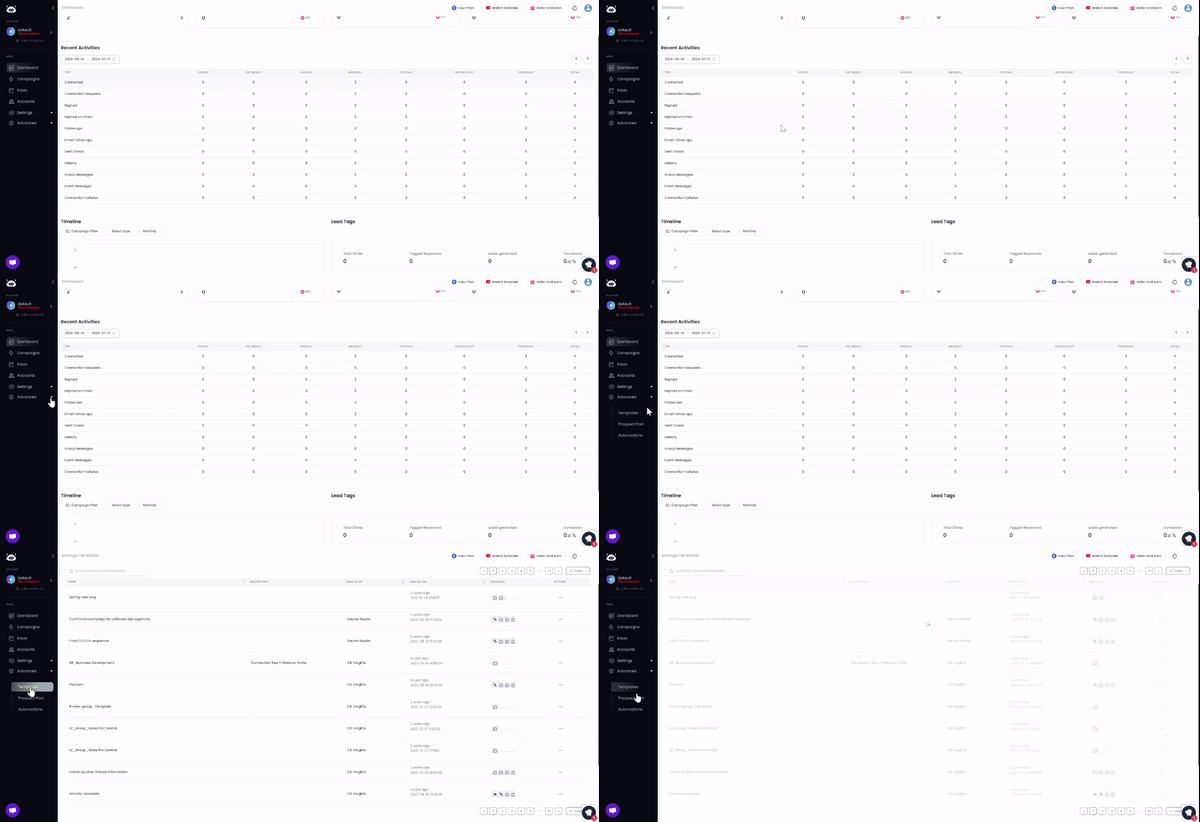
✅Vous pouvez désormais vérifier vos chances d’obtenir une réponse !
L’outil d’analyse de messages d’Outly vous aide à cela.
Il attribue un score à vos messages et vous donne des conseils pour ajuster votre texte afin d’obtenir de meilleurs taux de réponse.
.avif)
Outly récupère les données directement depuis le profil LinkedIn d’un prospect pour rédiger automatiquement des séquences de messages personnalisées. Vous ne travaillez pas à partir d’un modèle statique envoyé à tout le monde.
Sans parler du fait qu’Outly vous permet aussi d’envoyer des notes vocales et des messages vidéo personnalisés via LinkedIn dans le cadre de séquences automatisées.
Quand Outly est à vos côtés, vous pouvez vous concentrer sur le développement de votre entreprise et économiser le temps autrement perdu dans des heures de prospection manuelle, comme cet avis.
.avif)
Ne me croyez pas sur parole. Essayez par vous-même. Nous ne demandons même pas vos informations de carte bancaire !
Profitez de l’essai gratuit de 14 jours et voyez si cela vous convient.
Conclusion : messages commerciaux LinkedIn
Nous espérons que cet article de blog vous a apporté des informations détaillées sur la manière d’utiliser les messages LinkedIn pour développer votre entreprise.
Récapitulons rapidement ce que nous avons vu :
- Ce qu’est la messagerie LinkedIn et ses fonctionnalités méconnues
- Ce qui se passe si vous envoyez trop de messages LinkedIn
- Quelques conseils utiles pour la messagerie
- Nos meilleurs modèles pour la prospection commerciale sur LinkedIn
Nous espérons avoir répondu à toutes vos questions sur la messagerie LinkedIn. Si vous ne savez toujours pas comment vous y prendre, vous pouvez toujours tester Outly et constater un taux de réponse de 10 à 25 % !
Nos résultats le disent, pas nous.
Oh, et avant d’oublier, nous offrons 2 mois offerts si vous souhaitez souscrire à nos formules annuelles.
Avant de vous quitter, j’aimerais beaucoup avoir votre retour. Contactez-moi quand vous voulez.
À bientôt !
Éblouissez vos prospects en vous clonant et en envoyant des vidéos et notes vocales personnalisées à chaque prospect sur LinkedIn.
Si vous ne répondez pas aux prospects dans les 5 minutes, vos chances de conversion chutent de 50 %. Notre IA répond instantanément à votre place ! (et oui, vous pouvez l’entraîner)
Ne tirez pas à l’aveugle. Obtenez des analyses détaillées sur ce qui fonctionne.
Outly vous permet d’inviter d’autres membres de l’équipe, afin qu’ils puissent ajouter leur compte LinkedIn, lancer des campagnes de prospection et obtenir d’excellents résultats, tout comme vous.