Note éditoriale : cette version française reprend la structure et les informations de la version anglaise, avec les références produit adaptées à Outly. La priorité SEO reste la version anglaise.
Tarifs LinkedIn Premium : comparaison de tous les plans [2026]
À retenir
Tarifs LinkedIn Premium pour les entreprises :
-
Coût : 59,99 $/mois.
-
Fonctionnalités : 15 crédits InMail, navigation illimitée dans les profils, visiteurs du profil (90 derniers jours), analyses Business, LinkedIn Learning. De plus, LinkedIn Premium inclut désormais des analyses de carrière alimentées par l’IA et des suggestions d’actions personnalisées pour vous aider à faire progresser votre carrière ou votre activité.
-
Essai gratuit de 30 jours disponible.
Tarifs LinkedIn Premium pour Sales Navigator :
-
Plans disponibles : Core, Advanced et Advanced Plus.
-
Prix du plan Core : 99,99 $/mois.
-
Prix du plan Advanced : 149,99 $/mois.
-
Plan Advanced Plus : tarifs personnalisés avec des fonctionnalités comme les InMails illimités et l’accès au Learning Center. Sales Navigator inclut désormais des capacités améliorées de recherche de personnes alimentées par l’IA ainsi que la possibilité de créer de nouveaux leads et contacts CRM directement depuis la plateforme.
-
Vous pouvez tester Sales Navigator en demandant une démo gratuite pour voir comment ces fonctionnalités fonctionnent. Vous pouvez aussi choisir un essai gratuit d’un mois pour les découvrir par vous-même.
Coût de Premium Career :
- Coût : 29,99 $/mois
- Fonctionnalités : 5 InMails, analyses concurrentielles, analyses du marché, visibilité renforcée, alertes emploi personnalisées.
Tarifs LinkedIn Premium pour les recruteurs :
LinkedIn Recruiter Lite :
- Prix : 170 $/mois
- Fonctionnalités : filtres de recherche avancés, crédits InMail, mise en relation simplifiée avec les candidats et prospection.
- Il propose un essai gratuit de 30 jours.
LinkedIn Recruiter Professional ou Corporate :
- Les coûts varient en fonction des besoins spécifiques et de la localisation, à partir d’environ 900 $ par mois.
- Plusieurs niveaux sont disponibles, notamment Career, Business, Sales et le forfait Hiring.
- Aucun essai gratuit n’est proposé.
LinkedIn Learning Premium :
- Prix : 29,99 $/mois pour les particuliers, avec accès à une bibliothèque de cours.
- Il propose un essai gratuit de 30 jours.
Cet article est fait pour vous si
Vous envisagez LinkedIn Premium pour votre entreprise ou votre carrière.
Si vous vous creusez la tête au sujet des tarifs LinkedIn Premium et de ce que vous obtenez en échange, ne vous inquiétez pas : je suis là pour vous aider !
Je comprends, LinkedIn vous propose 8 formules différentes, et il n’est pas facile de déterminer laquelle vous convient.
C’est pourquoi j’ai rédigé ce blog pour tout expliquer, sans jargon compliqué, en français simple.
Pourquoi passer les 7 prochaines minutes à lire cet article ?
💼 Je commencerai par expliquer les différences entre les fonctionnalités gratuites de LinkedIn et les fonctionnalités Premium.
🌐 Ensuite, plongeons dans les différentes formules, de LinkedIn Premium , Sales Navigator et Recruiter à LinkedIn Learning .
🔥 Je répondrai à la question qui vous brûle les lèvres : " Quelle formule LinkedIn Premium me convient le mieux ? " .
💥 Je vous donnerai aussi 3 astuces pour obtenir Premium gratuitement ou à prix réduit .
❓ Vous êtes-vous déjà demandé ce qui se passe lorsque vous résiliez Premium ? Remboursements, résiliation, renouvellement : on couvre tout !
Enfin, je vais comparer certaines formules LinkedIn Premium face à face.
Mais commençons par le commencement.
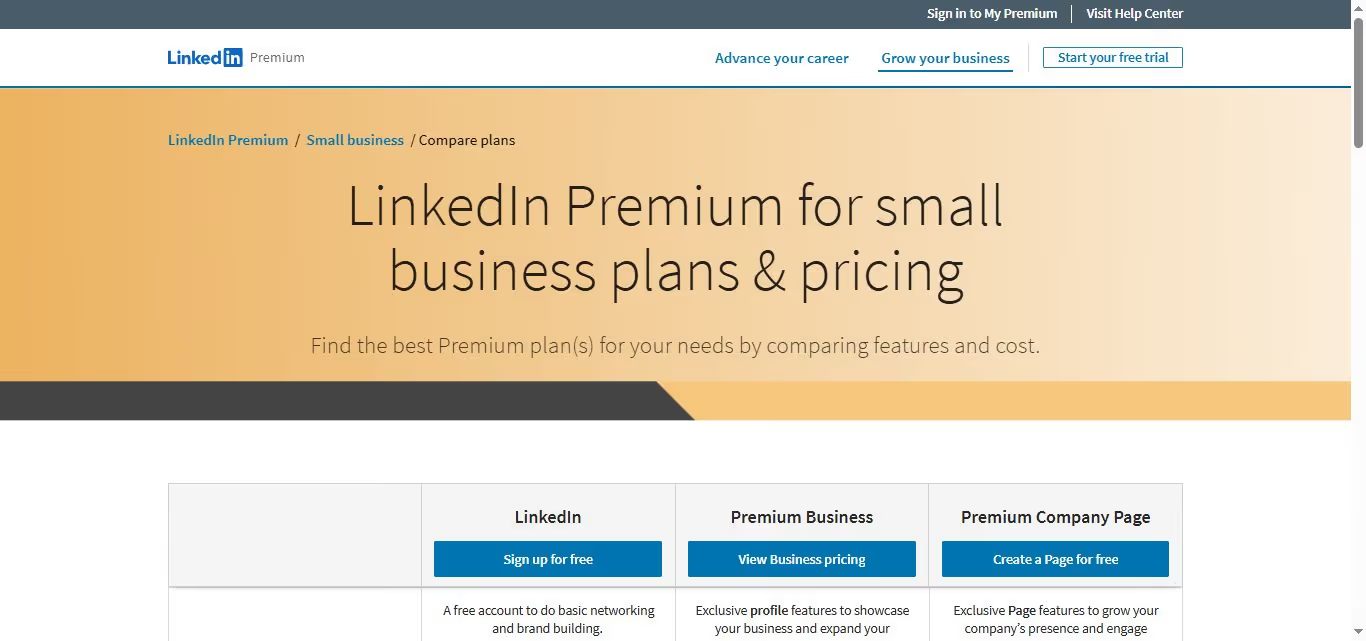
Voici une représentation visuelle de ce que chaque formule LinkedIn Premium apporte — ou n’apporte pas — à la table.
Mais d’abord, voyons si vous avez besoin de LinkedIn Premium tout court…
LinkedIn Premium vs. version gratuite :
Vous démarrez votre aventure sur LinkedIn ?
Vous n’avez pas besoin de dépenser un centime pour créer un compte LinkedIn gratuit.
Avec un compte gratuit, vous pouvez entrer en contact avec des personnes, reprendre contact avec d’anciens amis et créer un profil LinkedIn percutant pour attirer l’attention de prospects ou d’employeurs potentiels.
Mais il y a un hic : votre compte LinkedIn gratuit comporte certaines limitations :
❌ Messagerie : les comptes gratuits ne peuvent pas envoyer de messages aux autres utilisateurs sauf s’ils sont connectés.
❌ Analyses de carrière : un compte gratuit peut devenir frustrant lorsqu’il s’agit d’explorer ou de changer de voie professionnelle, car l’accès aux analyses de carrière est limité. Vous pouvez avoir l’impression de passer à côté d’opportunités précieuses et de tendances de votre secteur.
❌ Visiteurs du profil : créer des connexions importantes devient plus difficile quand vous ne savez pas qui consulte votre profil.
Avec un compte gratuit, vous ne pourrez pas voir toutes les personnes qui regardent votre profil.
❌ Limites de recherche : les comptes gratuits ont des restrictions de recherche, ce qui signifie que vous ne pouvez consulter qu’un nombre limité de profils.
Maintenant, parlons de LinkedIn Premium :
Envie de quelques avantages supplémentaires ?
Premium propose plusieurs éléments qui valent la peine d’être considérés :
✅ InMail : contactez n’importe qui, même si vous n’êtes pas connecté. C’est idéal pour générer des leads sur LinkedIn.
✅ Analyses : voyez qui consulte votre profil et obtenez des conseils pour l’améliorer. LinkedIn Premium fournit désormais des analyses plus approfondies sur des sujets essentiels et des suggestions d’actions de carrière personnalisées grâce à l’IA.
✅ Recherche d’emploi : démarquez-vous auprès d’employeurs potentiels, surtout si vous êtes en recherche active. À cet égard, LinkedIn Sales Navigator peut être le meilleur outil pour générer des leads parmi des millions de profils et rendre votre prospection plus personnalisée. En 2025, la prospection générique est obsolète, et l’hyperpersonnalisation est la clé pour créer des connexions pertinentes.
Au final, c’est à vous de décider.
Cependant, si vous débutez, le compte gratuit est votre porte d’entrée idéale sur LinkedIn.
Combien coûte LinkedIn Premium Business ?

LinkedIn Premium Business est proposé au prix mensuel de 59,99 $/mois et à 47,99 $/mois en cas de facturation annuelle.
Et devinez quoi ?
Vous pouvez profiter d’un essai gratuit de 30 jours pour le tester !
Les 6 principaux avantages d’un compte Premium Business :
✅ InMail : vous recevez 15 crédits par mois pour entrer en contact avec des personnes en dehors de votre réseau.
Cela vous permet de contacter des personnes que vous n’auriez peut-être pas pu joindre autrement.
✅ Voir plus de profils : vous pouvez consulter autant de profils que vous le souhaitez.
Cela ouvre de nombreuses nouvelles opportunités de networking.
✅ Voir qui a consulté votre profil : vous pouvez voir qui a visité votre profil au cours des 90 derniers jours, même si ces personnes utilisent la navigation privée.
Cela vous donne une bonne idée de qui s’intéresse à vous ou à votre entreprise.
✅ Apprendre de nouvelles compétences : accédez à une large gamme de cours sur LinkedIn Learning.
Vous pouvez ainsi développer continuellement vos compétences et rester recherché sur le marché.
✅ Analyses alimentées par l’IA : LinkedIn Premium inclut désormais des suggestions d’actions de carrière alimentées par l’IA et des analyses plus approfondies sur des sujets cruciaux pour vous aider à faire avancer votre carrière ou à développer votre activité plus efficacement.
LinkedIn Business est votre option de référence pour les recherches avancées, les analyses business et la possibilité de vous connecter avec jusqu’à 15 nouveaux contacts par mois.
C’est aussi une excellente formule pour développer votre marque ou devenir un leader d’opinion.
Mais LinkedIn peut-il vraiment vous aider à obtenir plus de leads ?
Oui, bien sûr, avec LinkedIn Sales Navigator. Nous y revenons juste après.
Combien coûte LinkedIn Sales Navigator en 2026 ?
LinkedIn Sales Navigator est un service d’abonnement premium qui offre aux commerciaux des outils et fonctionnalités avancés pour les aider à trouver et entrer en contact avec des prospects, construire des relations et conclure davantage de ventes.
Maintenant que nous avons couvert les bases de Sales Navigator, plongeons dans les détails de ses 3 formules ! 🚀💼
En 2025, la prospection générique est obsolète. L’hyperpersonnalisation est la clé pour créer des connexions pertinentes, et Sales Navigator inclut désormais la possibilité de créer de nouveaux leads et contacts CRM directement depuis la plateforme.
Tarifs Sales Navigator Core : idéal pour les commerciaux au budget serré
Prix : 99,99 $/mois, 79,99 $/mois en cas de facturation annuelle.
En ce qui concerne Sales Navigator Core, c’est la formule qui ne vous vide pas les poches et qui offre pratiquement tout ce dont vous avez besoin pour passer à la vitesse supérieure dans votre activité commerciale.
Imaginez : vous êtes à la recherche de leads qui peuvent vraiment faire la différence. Eh bien, Sales Navigator Core vous facilite la tâche.
Voici quelques avantages de Sales Nav Core :
✅ Filtres de recherche avancés : trouvez les bons leads grâce à des filtres de recherche avancés, notamment par entreprise, secteur, intitulé de poste, séniorité et même par mots-clés dans le profil du lead.
✅ Listes de leads : enregistrez et organisez vos leads dans des listes pour un suivi et des relances plus simples.
✅ InMail : envoyez des messages directs aux leads (50 messages par mois), même si vous n’êtes pas connecté à eux.
✅ Recommandations de leads : Sales Navigator vous recommande des leads en fonction de vos préférences commerciales et de votre activité.
✅ Navigation illimitée : accédez aux profils sans aucune limite.
✅ Intégration avec le CRM : Sales Navigator s’intègre aux systèmes CRM populaires afin de garder vos données synchronisées.
Sales Navigator Core offre un excellent rapport qualité-prix pour les commerciaux à budget limité. Il propose toutes les fonctionnalités essentielles dont vous avez besoin pour trouver et contacter des leads plus qualifiés.
Tarifs Sales Navigator Advanced : pour les commerciaux qui veulent des filtres de recherche avancés et des analyses de leads
Sales Navigator Advanced est proposé à 149,99 $ par mois, avec un tarif réduit de 108,33 $ par mois en cas de facturation annuelle.
Sales Navigator Advanced est le deuxième niveau des formules Sales Navigator, et il offre plusieurs fonctionnalités supplémentaires qui peuvent être utiles aux commerciaux pour trier les leads et mettre en avant ceux qui ont le plus de chances de convertir.
Voici quelques avantages de Sales Navigator Advanced :
✅ Tout ce qu’offre Sales Navigator Core : la formule Advanced comprend tout ce que contient la formule Core, plus :
✅ Team Link : Team Link vous aide à contacter davantage de personnes pertinentes sur LinkedIn en tirant parti des réseaux de vos collègues.
Il peut afficher, parmi les résultats de votre recherche, les personnes qui sont des relations de premier niveau de vos coéquipiers.
✅ Smart Links : grâce à Smart Links, vous pouvez partager plusieurs contenus avec vos contacts dans un flux de travail Sales Nav en créant un lien et en y ajoutant tout ce que vous voulez.
Cela vous permet aussi de suivre quels éléments ont été ouverts, afin de savoir ce qui intéresse vos prospects.
✅ Importation CSV : la formule Advanced permet également d’importer des fichiers CSV dans Sales Navigator et de les enrichir avec les profils LinkedIn et leurs informations.
Mais attendez, ce n’est pas terminé.
Nous allons maintenant parler du plan Advanced Plus ! 🚀💼
Tarifs Sales Navigator Advanced Plus :
Sales Navigator Advanced Plus est la formule Sales Navigator la plus chère, mais aussi celle qui offre le plus de fonctionnalités. Ce plan est une excellente option pour les équipes commerciales qui souhaitent une intégration CRM et des analyses avancées.
Voici quelques avantages de Sales Navigator Advanced Plus :
✅ Toutes les fonctionnalités de Sales Navigator Advanced
✅ Listes de leads illimitées
✅ InMails illimités
✅ Analyses commerciales avancées
✅ Support client prioritaire
✅ Intégration avec les principaux systèmes CRM
✅ Création de nouveaux leads et contacts CRM directement depuis Sales Navigator
Tarifs :
Vous pouvez contacter l’équipe commerciale LinkedIn pour obtenir un devis précis selon vos besoins, mais le prix est estimé autour de 1 600 $ par an.
Si vous souhaitez en savoir plus sur les avantages de Sales Navigator, veuillez lire notre article détaillé sur les avantages de Sales Navigator .
Maintenant que nous avons détaillé les 3 plans, voici un aperçu rapide pour savoir lequel est le plus adapté à votre situation.
Très bien, vous savez maintenant quelle formule Sales Navigator vous convient le mieux, et vous avez une liste de leads parfaits.
Mais ensuite ?
Comment allez-vous contacter tous ces leads ?
Je sais, la prospection peut être si chronophage et éprouvante émotionnellement, n’est-ce pas ?
Imaginez devoir rechercher chaque lead provenant de Sales Navigator et rédiger des messages personnalisés pour chacun d’entre eux, pour finalement être rejeté sans même un bonjour.
Envoyer à tout le monde un message copié-collé, sans âme, est aussi une mauvaise idée.
Parce que franchement, qui aime le spam ?
Personne.
C’est pour cela que j’ai créé Outly. (avec mon équipe, bien sûr !)
Avec Outly, vous pouvez vous détendre pendant qu’il envoie à votre place des demandes de connexion et des messages personnalisés, sans que vous ayez à lever le petit doigt.
Il prendra votre liste de leads Sales Navigator et commencera à interagir avec eux grâce à des messages hyperpersonnalisés.
À quel point personnalisés, me direz-vous ?
Excellente question !
Il repère de petits détails dans leurs profils (comme le bénévolat qu’ils ont fait, leur université, etc.) et les intègre dans les messages pour les rendre authentiques.
Cela se fait grâce à la fonctionnalité AI Variables, et c’est vraiment ingénieux, car il vous suffit de cliquer sur l’un de nos modèles de messages prédéfinis, puis l’IA s’occupe du reste.
Elle ira même plus loin en créant des images hyperpersonnalisées comme celle-ci :
Pas mal, non ? 😎
Et il ne s’agit pas d’envoyer des messages à l’aveugle. Outly laisse aussi des likes et des commentaires pertinents sur les publications LinkedIn qui attirent davantage de leads.
Vous êtes-vous déjà demandé ce qu’il en était des groupes et événements LinkedIn dont vous faites partie ?
Outly vous couvre aussi de ce côté-là.
Il vous aide sans effort à entrer en contact avec des clients potentiels via ces groupes.
L’agent IA d’Outly réserve automatiquement des rendez-vous pour vous. Plus besoin d’échanger sans fin avec les prospects. Il gère la conversation à votre place.
C’est pour cela qu’Outly est bien meilleur.
Que vous soyez en train de créer des connexions, de trouver de futurs clients ou de faire arriver des leads tièdes dans votre boîte de réception, Outly, c’est un peu comme avoir un assistant robot à disposition pour gérer les tâches lourdes pendant que vous vous concentrez sur votre entreprise ou votre famille.
Mais comment démarrer avec la magie Outly pour générer plus de leads avec votre formule Sales Navigator ?
Vous pouvez aussi lire ici comment trouver davantage de leads sur LinkedIn avec Sales Navigator et Outly ici .
Combien coûte LinkedIn Premium Career ?
LinkedIn Premium Career est un service d’abonnement payant qui fournit aux chercheurs d’emploi des fonctionnalités et des outils améliorés pour faire progresser leur carrière.
De plus, LinkedIn Premium inclut désormais des analyses de carrière alimentées par l’IA et des suggestions d’actions de carrière personnalisées pour vous aider à naviguer plus efficacement dans votre parcours professionnel.
Répartition des prix :
LinkedIn Premium Career coûte 29,99 $ par mois. Cependant, LinkedIn propose fréquemment des réductions promotionnelles et des essais gratuits pour les nouveaux utilisateurs, comme un essai GRATUIT à 0 $ pour le premier mois.
Quelles fonctionnalités propose LinkedIn Premium Career ?
✅ LinkedIn Premium Career peut considérablement améliorer votre recherche d’emploi et le développement de votre carrière.
✅ Développez votre réseau professionnel et entrez en contact avec des personnes influentes de votre secteur.
✅ Obtenez des informations importantes sur les entreprises et les opportunités d’emploi.
✅ Améliorez vos compétences et préparez-vous aux entretiens en toute confiance.
✅ Voyez les visiteurs de votre profil
✅ 5 InMails
✅ Analyses sur les salaires et les entreprises
Voici un tableau résumant les principales fonctionnalités de LinkedIn Premium Career :
Nous venons de voir comment LinkedIn peut vous aider à trouver un emploi, mais qu’en est-il si vous êtes plutôt intéressé par le recrutement ?
Quels sont les tarifs LinkedIn Premium pour les recruteurs ?
LinkedIn Recruiter propose deux formules tarifaires : Recruiter Lite et Recruiter.
Les tarifs de Recruiter commencent à 170 $/mois, tandis que le plan LinkedIn Recruiter coûte 900 $/mois ou 8 999 $/an. (Plus d’informations ci-dessous)
Note : vous devez contacter l’équipe commerciale LinkedIn pour obtenir le prix exact de LinkedIn Recruiter, car il varie selon les régions.
LinkedIn Recruiter Lite vs Recruiter
LinkedIn Recruiter Lite et Advanced sont deux formules d’abonnement proposées par LinkedIn pour les recruteurs. Chacune offre des fonctionnalités et des capacités différentes.
Recruiter propose un ensemble de fonctionnalités plus étendu. Cela inclut des filtres de recherche avancés, des vues de profils illimitées et des recommandations de candidats améliorées. Cette formule convient donc aux recrutements à plus grande échelle et aux entreprises.
LinkedIn Recruiter, en revanche, est conçu pour les recruteurs individuels ou pour les recruteurs travaillant dans des PME avec des besoins de recrutement plus modestes.
C’est tout pour LinkedIn pour les recruteurs.
Voyons maintenant comment LinkedIn Learning peut vous aider à préparer vos entretiens d’embauche (ou vos examens).
Combien coûte LinkedIn Learning ?
LinkedIn Learning est une école en ligne qui propose une quantité énorme de cours et de ressources.
Que vous souhaitiez apprendre de nouvelles compétences ou améliorer celles que vous avez déjà, c’est l’endroit idéal pour le faire !
Décomposons les tarifs et les fonctionnalités, de manière simple et utile pour vous.
LinkedIn Learning Premium pour les particuliers
Tarifs :
- Abonnement mensuel : 29,99 $
- Abonnement annuel : 239,88 $ (facturé annuellement)
Pour moins cher qu’un abonnement mensuel à une plateforme de streaming, vous avez accès à plus de 22 000 cours dans 24 langues.
Payez 29,99 $ par mois ou optez pour l’abonnement annuel à 239,88 $ (soit l’équivalent de 19,99 $ par mois lorsque la facturation est mensualisée).
Note :
LinkedIn Learning est déjà inclus dans les formules Premium Business et Career.
Principales fonctionnalités de LinkedIn Learning Premium pour les particuliers :
✅ Accès illimité aux cours : explorez un large éventail de cours, des bases du business aux compétences créatives.
✅ Certificats de fin de formation : mettez en avant vos réussites avec des certificats pour valoriser votre profil.
✅ Apprentissage personnalisé : recevez des recommandations de cours selon vos intérêts et vos objectifs professionnels. LinkedIn propose désormais des suggestions d’actions de carrière personnalisées alimentées par l’IA pour vous aider à vous concentrer sur les compétences les plus pertinentes pour votre parcours.
✅ Visionnage hors ligne : téléchargez les cours pour apprendre facilement hors ligne, partout et à tout moment.
✅ Apprentissage interactif : mettez en pratique ce que vous apprenez grâce à des exercices pratiques et des fichiers d’entraînement.
LinkedIn Learning Premium pour les équipes
- 2 à 20 licences : 379,88 $ par licence/an
- 21 licences et plus : contactez LinkedIn pour les tarifs.
Pour les entreprises qui souhaitent faire monter en compétences leurs équipes, LinkedIn Learning Premium pour les équipes est la solution. Les prix varient selon la taille de l’équipe.
Principales fonctionnalités de LinkedIn Learning Premium pour les équipes :
✅ Accédez à une immense bibliothèque de plus de 18 000 cours animés par des experts.
✅ Personnalisez les parcours d’apprentissage pour chaque employé.
✅ Impliquez-vous dans une communauté d’apprentissage collaborative.
✅ Obtenez des analyses exploitables pour optimiser la formation.
✅ Intégrez-vous facilement aux systèmes existants.
LinkedIn Learning Premium pour les organisations
Pour les grandes organisations, LinkedIn Learning Premium propose des solutions personnalisées. Contactez LinkedIn pour obtenir un devis adapté et découvrir l’ensemble des fonctionnalités.
En conclusion :
Que vous soyez un particulier, membre d’une équipe ou d’une organisation, LinkedIn Learning propose des cours et des outils pour développer vos compétences et garder une longueur d’avance sur la concurrence.
Avec LinkedIn Learning, vous pouvez accéder à des milliers de cours et de vidéos en ligne pour vous aider à atteindre vos objectifs professionnels.
Puisqu’on parle de suivre des cours, discutons maintenant du coût de LinkedIn Premium pour les étudiants.
Quels sont les tarifs LinkedIn Premium pour les étudiants ?
LinkedIn Learning propose un tarif spécial de 19,99 $ par mois pour les étudiants.
C’est un bon choix pour les étudiants qui souhaitent combiner apprentissage et développement professionnel.
LinkedIn Learning est-il gratuit pour les étudiants ?
Il n’est pas entièrement gratuit pour les étudiants.
Même si certains cours gratuits sont disponibles, l’ensemble du contenu premium, avec des cours animés par des experts et des supports d’apprentissage approfondis, est proposé aux tarifs mentionnés précédemment.
Cependant, si vous êtes membre d’une bibliothèque publique aux États-Unis, LinkedIn Learning est gratuit à vie pour vous !
LinkedIn Learning est-il inclus avec Premium ?
LinkedIn Premium vous donne également accès à LinkedIn Learning sans frais supplémentaires.
Pour y accéder depuis votre page d’accueil LinkedIn, suivez ces étapes :
- Cliquez sur l’icône « Travail » située en haut à droite de votre page d’accueil LinkedIn. Cette icône ressemble généralement à une mallette ou à un symbole « travail ».
- Un menu apparaît après avoir cliqué sur l’icône « Travail ».
- Dans ce menu, sélectionnez l’icône « Learning ». L’icône « Learning » représente généralement un chapeau de diplômé ou un livre.
En suivant ces étapes, vous pouvez accéder à LinkedIn Learning directement depuis votre page d’accueil LinkedIn.
Quelle formule LinkedIn Premium vous convient le mieux ?
Choisir la bonne formule est une décision qui doit être en phase avec vos objectifs professionnels individuels.
Bien sûr, il existe des recommandations de formules selon différents objectifs professionnels :
1. Demandeurs d’emploi :
- Formule recommandée : LinkedIn Premium Career.
Si votre objectif est de décrocher l’emploi de vos rêves ou de progresser dans votre carrière, LinkedIn Premium Career est fait pour vous.
Il aide les chercheurs d’emploi en offrant des outils pour entrer en contact avec des recruteurs et des employeurs, comprendre qui s’intéresse à votre profil et accéder à des cours en ligne pour renforcer vos compétences.
2. Dirigeants d’entreprise et entrepreneurs :
- Formule recommandée : LinkedIn Premium Business ou Sales Navigator
Pour les dirigeants et entrepreneurs qui souhaitent générer des leads et développer leur activité, LinkedIn Premium Business ou Sales Navigator est la bonne option.
Avec des capacités de recherche avancées, vous pouvez cibler des clients potentiels, des partenaires et des influenceurs du secteur comme un pro.
Mieux encore, vous pouvez envoyer des messages à des personnes hors de votre réseau.
Croyez-moi, ça change la donne.
3. Commerciaux :
- Formule recommandée : LinkedIn Sales Navigator.
Les commerciaux qui cherchent à identifier et à contacter des clients potentiels devraient opter pour LinkedIn Sales Navigator.
Avec cette formule, vous bénéficiez de fonctionnalités intéressantes comme des outils de priorisation des leads et des filtres de recherche avancés. De plus, Sales Navigator inclut désormais la possibilité de créer de nouveaux leads et contacts CRM directement depuis la plateforme, ce qui facilite la gestion de votre pipeline commercial.
Ces outils vous aident à vous concentrer sur les meilleurs leads afin que vous puissiez consacrer votre temps là où cela compte vraiment.
Et ce n’est pas tout : vous pouvez aussi rédiger des messages de prospection percutants pour des leads potentiels, qui convertissent et attirent l’attention.
Plutôt pratique, non ?
4. Recruteur dans une petite ou moyenne entreprise :
- Formule recommandée : Recruiter.
Si vous êtes recruteur dans une petite ou moyenne entreprise et que vous souhaitez sourcer et recruter efficacement les meilleurs talents, Recruiter est la formule recommandée.
Avec LinkedIn Recruiter, vous n’êtes plus limité à votre vivier habituel de candidats.
Au contraire, vous disposez de filtres de recherche puissants qui vous permettent de trouver exactement qui vous cherchez. Fini de fouiller dans des piles de CV !
Et ce n’est pas tout. Vous pouvez envoyer des messages directement aux candidats potentiels. Plus besoin d’attendre qu’ils tombent par hasard sur votre offre.
5. Agences de recrutement :
- Formule recommandée : LinkedIn Recruiter.
Pour les agences de recrutement qui gèrent d’importants besoins en acquisition de talents, LinkedIn Recruiter est le meilleur choix.
Cette formule premium peut vous aider à gérer ces énormes volumes de recrutement.
Grâce à ses capacités de recherche, trouver la bonne personne devient presque un jeu d’enfant.
En plus, il existe d’excellents outils de collaboration en équipe, pour que tout le monde reste aligné.
Quelle formule LinkedIn Premium vaut le coup pour les commerciaux ?
Pour les commerciaux, les formules LinkedIn Premium les plus adaptées se trouvent dans l’offre LinkedIn Sales Navigator :
LinkedIn Sales Navigator :
LinkedIn Sales Navigator fait passer la prospection commerciale à un tout autre niveau, en permettant aux commerciaux d’identifier, d’engager et de convertir des leads à forte valeur avec plus de précision et d’efficacité. Il propose 3 formules distinctes :
1️⃣ LinkedIn Sales Navigator Core :
- Idéal pour : les solopreneurs ou les personnes avec un budget limité qui privilégient les capacités de recherche avancées et les analyses commerciales en temps réel
2️⃣ LinkedIn Sales Navigator Advanced :
- Idéal pour : les commerciaux individuels qui ont besoin d’une prospection directe via des crédits InMail et des recommandations de leads.
3️⃣ LinkedIn Sales Navigator Advanced Plus :
- Idéal pour : les grandes équipes commerciales qui ont besoin d’InMails illimités et de capacités de gestion des leads.
Sales Navigator inclut également la possibilité de créer de nouveaux leads et contacts CRM directement depuis la plateforme, ce qui simplifie votre flux de travail commercial. De plus, en 2026, la prospection générique est obsolète. La plateforme met l’accent sur l’hyperpersonnalisation comme clé pour créer des connexions pertinentes.
Pour tirer le meilleur parti de votre formule Premium, il vaut mieux apprendre certaines capacités avancées de LinkedIn Premium comme la recherche booléenne.
Voici un tutoriel :
Quelle formule LinkedIn Premium vaut le coup pour les chercheurs d’emploi ?
Êtes-vous en recherche d’emploi ?
Dans ce cas, la formule LinkedIn Premium Career pourrait être votre arme secrète.
Elle vous donne :
✅ Crédits InMail : idéaux pour contacter des employeurs ou recruteurs potentiels.
✅ Analyses d’emploi et d’entreprise : utiles pour obtenir des informations détaillées sur les offres et les entreprises, afin de prendre des décisions éclairées.
De plus, LinkedIn Premium propose désormais des suggestions d’actions de carrière alimentées par l’IA, offrant des recommandations personnalisées pour vous aider à progresser dans votre carrière en fonction de votre profil et de vos objectifs.
Quelle formule LinkedIn Premium vaut le coup pour les recruteurs ?
LinkedIn Recruiter peut être très utile pour les recruteurs, en offrant un accès à des outils et des fonctionnalités avancés qui simplifient le processus de recrutement.
Comment choisir ?
✅ Recruiter Lite : idéal pour les recruteurs indépendants, les petites agences ou ceux qui disposent d’un budget recrutement limité.
✅ Recruiter : destiné aux plus grandes sociétés de recrutement ou aux équipes internes des grandes entreprises qui gèrent des volumes de recrutement plus élevés.
LinkedIn Premium vaut-il le coup pour les étudiants ?
Si vous êtes étudiant, vous vous demandez peut-être si une formule Premium est un bon investissement.
Voici pourquoi LinkedIn Premium peut être un atout précieux pour vos études et votre future carrière :
✅ Accès aux analyses du marché de l’emploi : Premium vous donne accès à des analyses sur le marché du travail.
Ces informations peuvent vous aider à comprendre quelles compétences sont recherchées, quels secteurs se développent et quelles opportunités d’emploi existent, afin de rendre votre parcours plus clair.
✅ Opportunités de networking : avec cette formule, vous pouvez vous connecter avec des professionnels dans le domaine que vous avez choisi.
C’est une excellente occasion de développer votre réseau, de poser des questions et de bénéficier des conseils de personnes expérimentées qui peuvent vous aider à prendre de meilleures décisions de carrière.
✅ Analyses pour débuter sa carrière : en vous connectant à des professionnels et en obtenant des informations sur votre secteur, vous prenez de l’avance dans votre carrière.
Vous pouvez découvrir les défis et opportunités de votre domaine et être mieux préparé au marché du travail une fois diplômé.
✅ Visibilité renforcée : Premium Student met votre profil en avant, augmentant votre visibilité auprès des employeurs potentiels.
Cela peut se traduire par davantage de stages et d’opportunités d’emploi pendant vos études.
✅ Alertes emploi personnalisées : la formule vous fournit des alertes emploi adaptées à vos préférences, afin que vous ne manquiez aucune opportunité alignée avec vos objectifs professionnels.
En résumé, LinkedIn Premium est un choix intelligent pour les étudiants, mais attention au prix.
N’investissez dans Premium que si vous cherchez activement des stages ou un emploi.
Comment obtenir LinkedIn Premium GRATUITEMENT ?
Avez-vous déjà souhaité pouvoir accéder à toutes les fonctionnalités incroyables de Premium sans dépenser un centime ?
Eh bien, j’ai quelques astuces sympas pour vous !
✅ Essais gratuits : LinkedIn propose des essais gratuits de Premium tout au long de l’année.
Vous pouvez donc tester les fonctionnalités par vous-même avant de vous abonner.
✅ Avantages étudiants ou chercheurs d’emploi : si vous êtes étudiant ou en recherche d’emploi, vous pouvez être éligible à des essais Premium gratuits ou à des réductions. ✅ Partager, c’est aimer : certains utilisateurs disposent de Premium et peuvent partager avec vous des articles, profils et bien plus encore.
Connectez-vous avec eux et explorez les contenus qu’ils partagent.
Comment obtenir des réductions sur LinkedIn Premium ?
Parlons maintenant de faire des économies sur Premium.
Même si un abonnement Premium peut être un excellent outil, je comprends qu’il ne rentre peut-être pas dans votre budget pour le moment.
Pas d’inquiétude.
Il existe de nombreuses façons d’obtenir ces fonctionnalités Premium sans vous ruiner.
Que se passe-t-il si je résilie LinkedIn Premium ?
- Lorsque vous résiliez, vous ne perdez pas votre compte. En revanche, vous ne pourrez plus envoyer d’InMails pour contacter qui que ce soit.
- Vous ne verrez plus qui a consulté votre profil.
- Votre badge Premium disparaîtra aussi. Les gens ne sauront peut-être plus que vous étiez membre Premium !
- Plus d’informations supplémentaires sur les emplois et les salaires.
- Vos candidatures pourraient en pâtir. Fini de vous démarquer parmi les autres candidats.
Mais pas de panique.
Vous pouvez toujours réintégrer Premium plus tard si vous changez d’avis.
Entrons dans les détails concernant l’annulation des frais et les remboursements LinkedIn Premium .
LinkedIn fonctionne généralement sur la base d’un abonnement pour ses services Premium.
Si vous décidez d’annuler votre abonnement Premium, voici ce qui s’applique :
- Résiliation : lorsque vous résiliez votre abonnement Premium, vous pouvez continuer à profiter des fonctionnalités Premium jusqu’à la fin de la période déjà payée.
- Remboursements : LinkedIn ne propose généralement pas de remboursement au prorata du temps restant si vous résiliez votre abonnement Premium avant la fin de votre cycle de facturation.
- Renouvellement automatique : souvenez-vous que, comme la plupart des abonnements, sauf option contraire choisie, LinkedIn Premium se renouvelle automatiquement.
Ainsi, si vous souhaitez éviter d’être facturé pour le cycle de facturation suivant, il est essentiel de résilier votre abonnement avant la date de renouvellement.
- Réabonnement : si vous résiliez votre abonnement Premium puis décidez plus tard de vous réabonner, vous pouvez le faire à tout moment (et parfois avec des réductions spéciales aussi !)
Vous retrouverez l’accès aux fonctionnalités et avantages Premium associés à la formule choisie.
Gardez à l’esprit que les politiques concernant les résiliations, les remboursements et les réabonnements peuvent varier ou être mises à jour ; il est donc conseillé de consulter les dernières informations fournies directement par LinkedIn ou via leurs canaux d’assistance.
Comparaison de toutes les formules LinkedIn Premium
LinkedIn propose une variété de formules Premium, chacune avec des avantages distincts.
Mais laquelle vous convient le mieux ?
Sales Navigator Core ou Sales Navigator Advanced ?
Premium Business ou LinkedIn Premium Career ?...
Comparons ces formules tête à tête !
LinkedIn Premium Business vs Sales Navigator
LinkedIn Premium Business est conçu pour les entreprises qui cherchent à étendre leur portée, à renforcer leurs efforts commerciaux et marketing, et à obtenir des informations précieuses sur leur secteur.
Il s’adresse à un public plus large, notamment les dirigeants d’entreprise, les professionnels du marketing et des ventes, les entrepreneurs et les personnes impliquées dans le développement commercial.
En revanche, LinkedIn Sales Navigator est spécifiquement conçu pour les commerciaux qui souhaitent fluidifier leur processus de vente, identifier et qualifier efficacement les leads, et conclure davantage de ventes.
Il cible les responsables commerciaux, les directeurs et les personnes impliquées dans les efforts de vente et de marketing.
Sales Navigator propose désormais des capacités améliorées avec la recherche de personnes alimentée par l’IA pour les abonnés Premium, permettant une prospection plus ciblée. De plus, la plateforme inclut la possibilité de créer de nouveaux leads et contacts CRM directement depuis Sales Navigator, simplifiant ainsi votre workflow commercial.
LinkedIn Sales Navigator Core vs LinkedIn Sales Navigator Advanced vs LinkedIn Sales Navigator Plus
Si vous êtes entrepreneur solo ou dirigeant d’une petite entreprise et que vous souhaitez générer plus de leads, Sales Navigator Core est une bonne option.
Si vous êtes commercial dans une PME ou une entreprise de taille intermédiaire et que vous voulez trouver et contacter plus de clients potentiels, Sales Navigator Advanced est une bonne option.
Si vous êtes membre d’une équipe commerciale au sein d’une grande entreprise et que vous souhaitez intégrer Sales Navigator à votre CRM, Sales Navigator Advanced Plus est une bonne option.
En 2025, la prospection générique est devenue obsolète. L’accent s’est déplacé vers l’hyperpersonnalisation comme clé de connexions pertinentes, avec des capacités de prospection alimentées par l’IA pouvant augmenter l’efficacité du pipeline jusqu’à 33 %.
LinkedIn Sales Navigator vs LinkedIn Recruiter
Sales Navigator est destiné aux leads commerciaux, tandis que Recruiter est conçu pour le recrutement.
Sales Navigator vous aide à identifier et à contacter des clients potentiels.
Recruiter permet aux recruteurs et aux professionnels RH de trouver les meilleurs candidats pour les postes à pourvoir.
Choisissez en fonction de vos objectifs : ventes ou recrutement.
LinkedIn Premium Career vs LinkedIn Premium Business
Premium propose des formules distinctes.
LinkedIn Premium Career est conçu pour les chercheurs d’emploi, en offrant des avantages liés à la recherche d’emploi, comme des crédits InMail et des analyses d’emploi améliorées.
Premium Business, en revanche, est destiné aux entreprises qui souhaitent renforcer leur présence de marque et leurs efforts marketing.
LinkedIn Premium inclut désormais des fonctionnalités améliorées alimentées par l’IA qui fournissent des analyses plus approfondies sur des sujets cruciaux et délivrent des suggestions d’actions de carrière personnalisées pour vous aider à faire progresser votre parcours professionnel.
LinkedIn Basic vs Premium
LinkedIn Basic est la version gratuite, qui vous permet de créer un profil et de vous connecter avec d’autres personnes.
Premium enrichit votre expérience avec des avantages supplémentaires.
Il offre une visibilité accrue, des analyses précieuses et la possibilité de contacter davantage de personnes en dehors de votre réseau immédiat.
En résumé, le choix entre ces formules dépend de vos objectifs.
Il existe une formule Premium pour tout le monde !
Votre parcours progresse lorsque vous choisissez la formule qui correspond le mieux à vos ambitions professionnelles.
Conclusion sur les tarifs LinkedIn Premium
Après avoir lu jusqu’ici, je suis sûr que vous avez déterminé quelle formule Premium vous convient le mieux.
Comme vous l’avez compris, chaque formule présente des avantages uniques et répond à des besoins spécifiques.
Une formule qui fait merveille pour les chercheurs d’emploi ne sera pas forcément adaptée à la construction d’une marque.
Mais quelle que soit la raison pour laquelle vous choisissez une formule Premium, il y a de fortes chances que vous souhaitiez utiliser LinkedIn pour obtenir davantage de leads.
Et LinkedIn compte actuellement plus d’un milliard d’utilisateurs.
C’est un chiffre énorme, n’est-ce pas ?
Vous devez envoyer manuellement des demandes de connexion à ces personnes et leur écrire des messages en espérant qu’elles vous répondent.
Cette étape prend énormément de temps.
Mais ne vous inquiétez pas. C’est בדיוק pourquoi vous avez besoin d’un outil d’automatisation LinkedIn.
Et l’un de ces outils est Outly . Vous pouvez l’utiliser pour :
✅ Éliminer le superflu
✅ Créer des connexions pertinentes avec des clients potentiels
✅ Générer des leads tièdes
En envoyant plus de 200 messages par jour à des prospects en automatique, ce qui vous fait gagner énormément de temps et d’efforts.
Le meilleur dans tout ça : il peut même contourner les limites de connexion LinkedIn sans mettre votre profil en danger.
Maintenant, si Outly a retenu votre attention, nous avons une bonne nouvelle.
Il existe une offre d’essai sans risque de 14 jours.
Il vous suffit de votre e-mail et d’un numéro de téléphone, et c’est parti !
En espérant que vous tiriez le meilleur parti de votre aventure sur LinkedIn.
À la prochaine,
Bonne chance !
Impressionnez vos leads en clonant votre approche et en envoyant des vidéos et des notes vocales personnalisées à chaque lead sur LinkedIn.
Si vous ne répondez pas aux leads dans les 5 minutes, vos chances de les convertir chutent de 50 %. Notre IA répond instantanément à votre place ! (et oui, vous pouvez l’entraîner)
Ne tirez pas à l’aveugle. Obtenez des analyses détaillées sur ce qui fonctionne
Outly vous permet d’inviter d’autres membres de votre équipe, afin qu’ils puissent ajouter leur compte LinkedIn, lancer des campagnes de prospection et obtenir des résultats impressionnants, tout comme vous.